How Plans work: from "we should" to a plan with a day
A plan in Saath is three taps: what you will do, which day and what time. Your partner answers with one tap, and the plan moves to Coming Up when you are both in.
Plan something in four steps
- Tap the + button, then Plan. Or open Plans and tap Plan Something.
- Under What, pick Dinner, Lunch, Coffee, Call, Movie or another kind.
- Pick the Day and the Time. Tap Add a place if you have one in mind.
- Tap Send. Your partner gets the plan on their Today and in Chat.
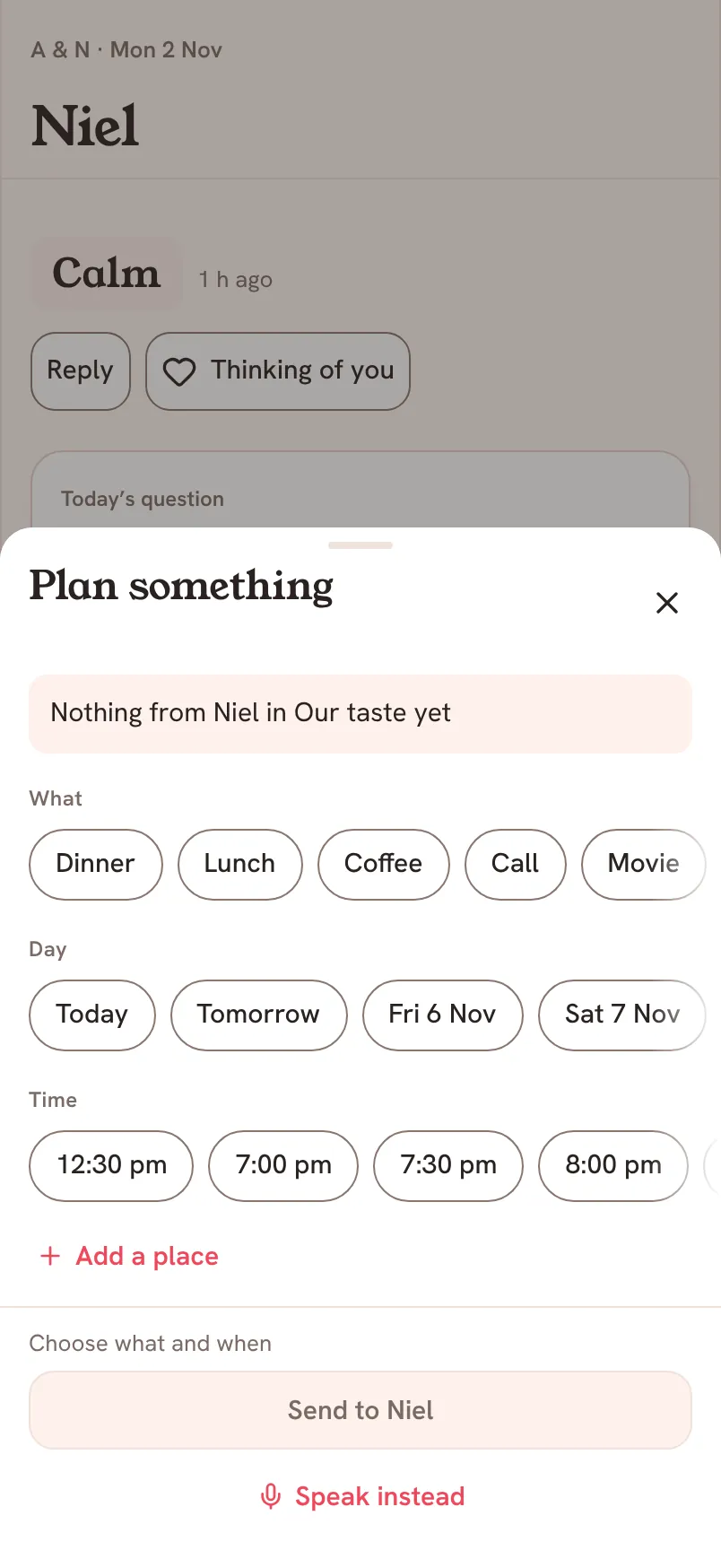
How your partner answers
They tap I'm in or Can't make it. In Chat they can also pick Different time. When you are both in, the plan sits under Coming Up, and you can see who said yes.
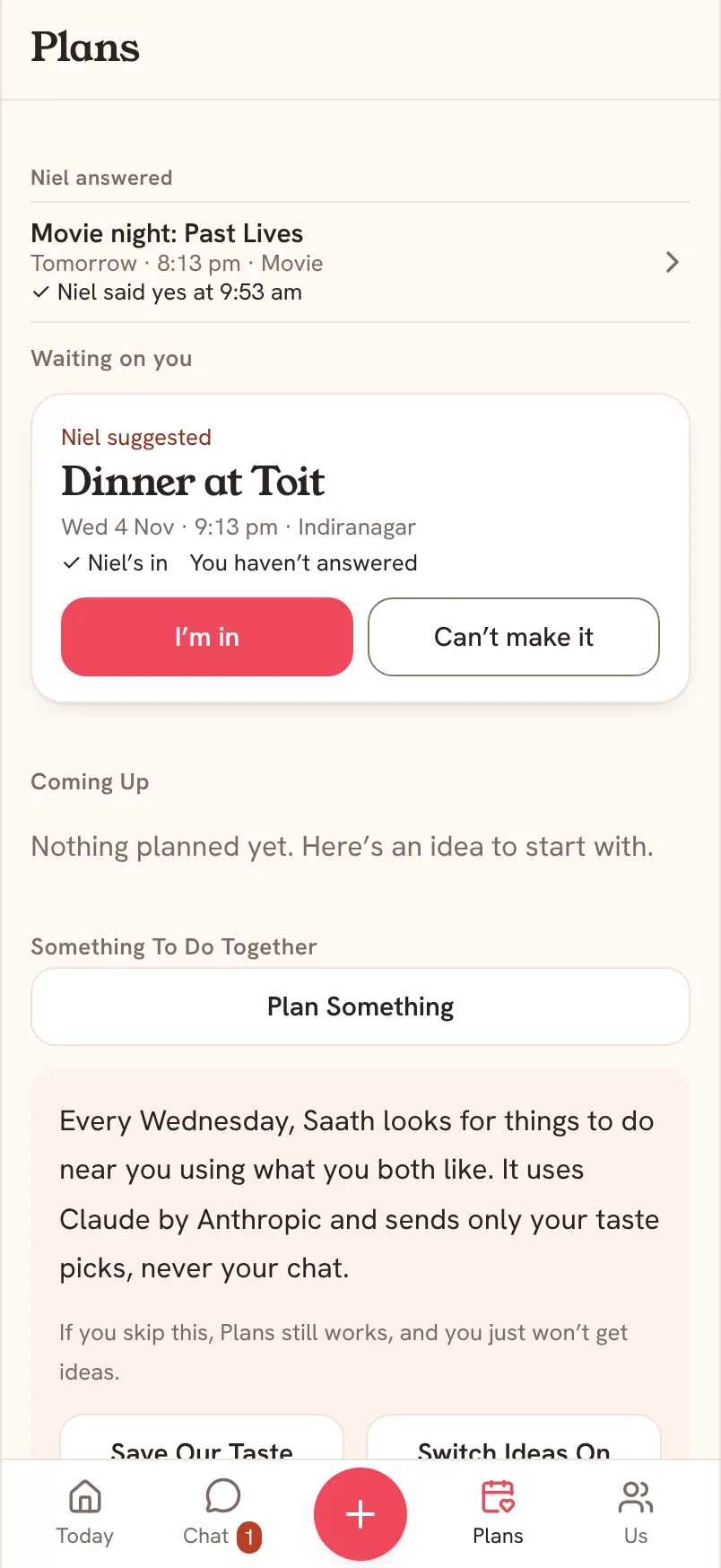
Ideas for things to do
Under Something To Do Together, Saath can suggest ideas near you. This is optional. If you skip it, Plans works the same, you just do not get ideas.
Questions about Plans
What does Booked mean?
Either of you can tap Mark booked once the table, tickets or room are sorted. It then shows Booked.
What if we cannot do the day?
Your partner can answer Different time. You pick another time and send it again.