How Chat works in Saath
Chat is the part of Saath where you two talk. It works like any chat, and it also shows your partner's mood and plans in the conversation so you can answer them right there.
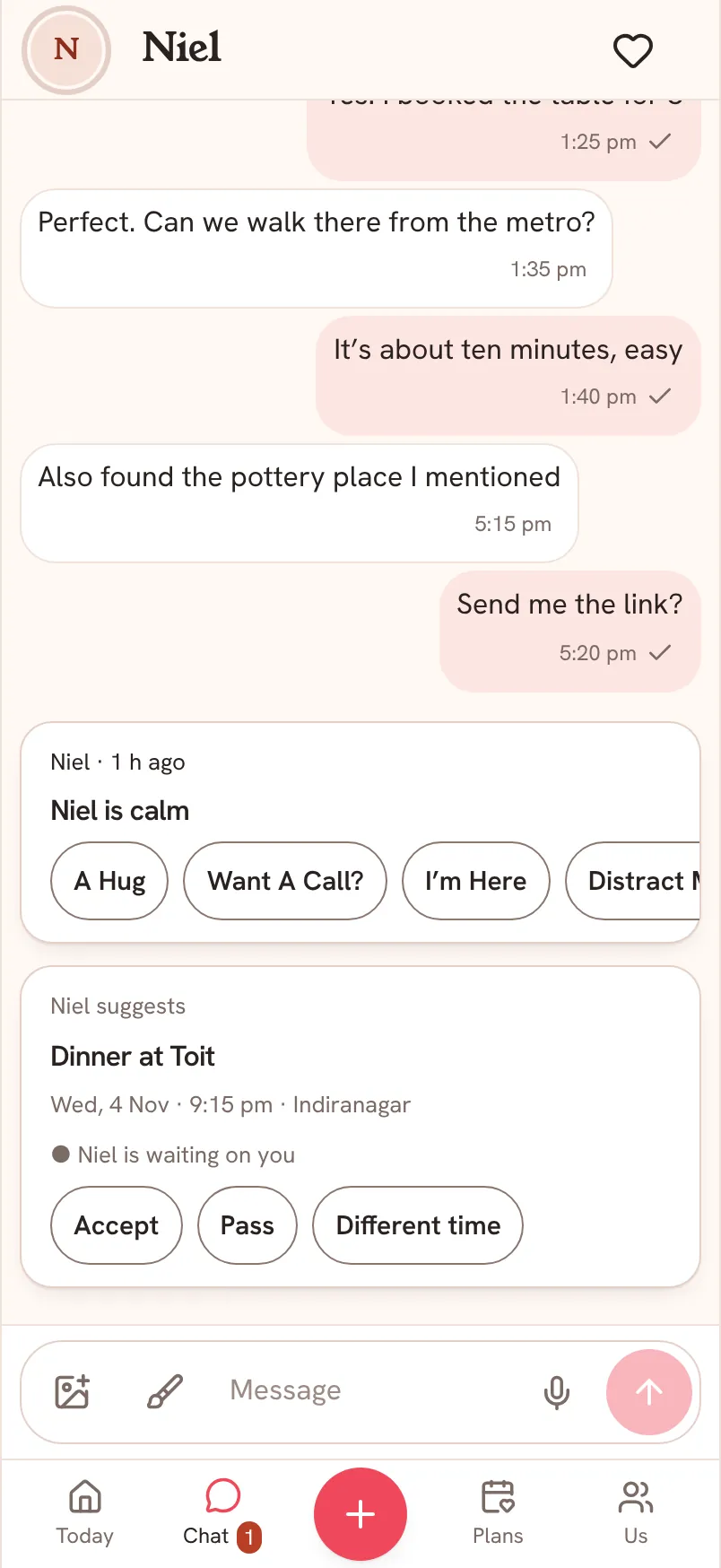
Send a message, a photo or a drawing
- Open Chat and type in the Message box at the bottom, then tap the arrow to send.
- Tap the picture icon on the left to add a photo.
- Tap the paintbrush to draw something and send it. There is a full guide in drawings.
- Tap the microphone to say it instead of typing.
Moods and plans inside Chat
When your partner shares a mood or suggests a plan, it shows up in the conversation. You can answer a mood with A Hug, Want A Call?, I'm Here or Distract Me?. You can answer a plan with Accept, Pass or Different time.
Questions about Chat
What do the little marks under my messages mean?
Sent means your message left your phone and Saath has it. Reached A Device means it arrived on your partner's phone. Read means they opened the chat and saw it.
What if I have no signal?
Your message waits on your phone and goes when you are back online. Saath shows how many messages are waiting.
Can I bring my old WhatsApp chat into Saath?
Yes. See Bring your WhatsApp chat into Saath.