Bring your WhatsApp chat into Saath
You can bring your WhatsApp chat with your partner into Saath. Export the chat from WhatsApp, choose Saath, check who is who, and tap Bring them over. Nothing is added twice.
Bring your chat over
- In WhatsApp, open your chat with your partner and tap their name.
- Tap Export chat. Choose Without media for words only, or include media to bring your photos too.
- Choose Saath from the share sheet. Or save the file to Files and open Saath.
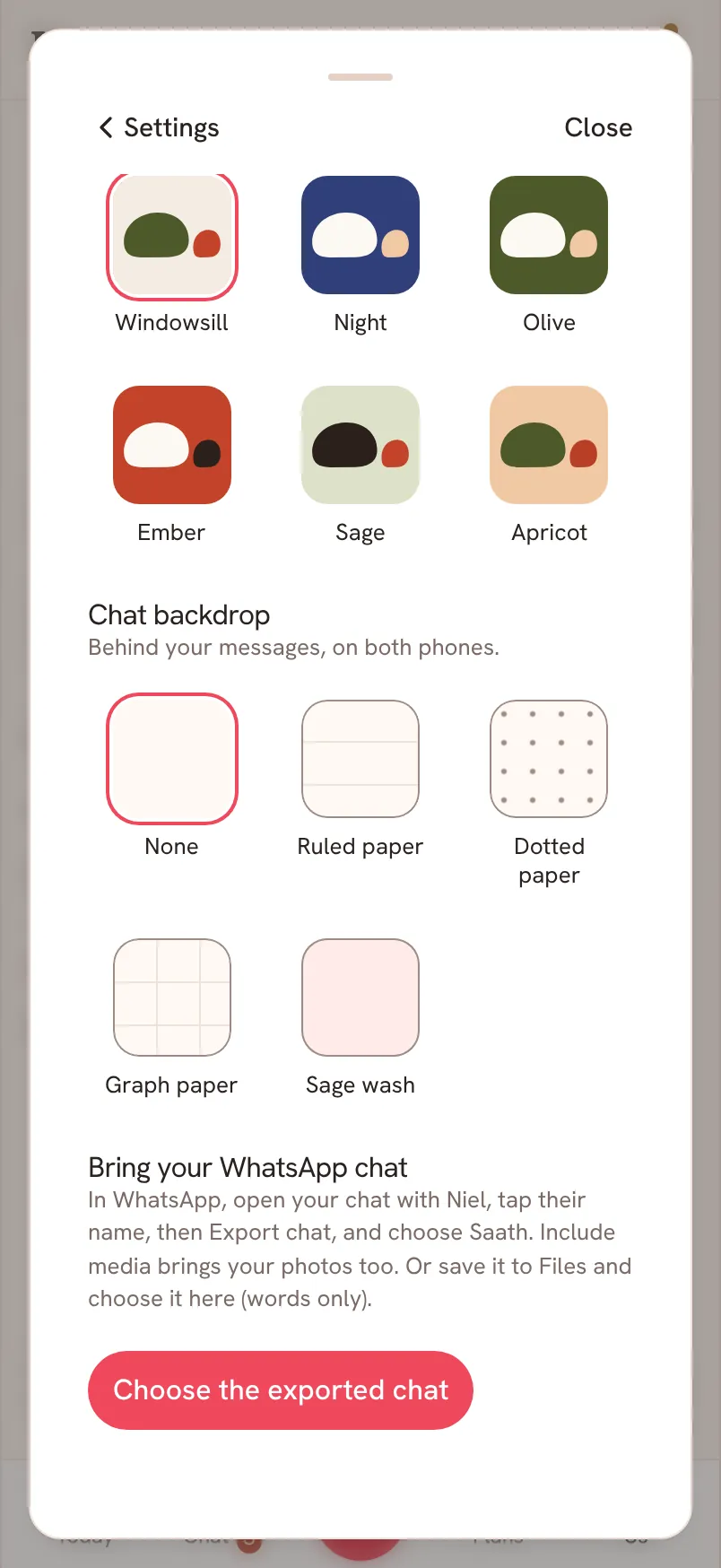
- In Saath, open Settings (the gear icon), then For both of you, and tap Choose the exported chat.
- When asked Which name is yours in this chat?, pick yours.
- Check the summary, then tap Bring them over.
Questions about importing
Will the messages show up twice if I try again?
No. Saath skips what is already there, so you can try again after a problem.
Does my partner see the imported messages?
Yes. They appear in your shared Chat for both of you, with their original times, and they never ping your partner's phone.
What if I picked the wrong chat?
Tap Not this chat before anything is brought over. After, you can tap Remove messages brought over. Messages you wrote in Saath stay.
Can I import a group chat?
No. Export your one-to-one chat with your partner.
Is there a limit on how much Chat shows?
On the free plan, Chat shows your last 30 days. Older messages are brought over and kept safely.