Find ideas for things to do together
Saath can look for things to do together near you. Switch on weekly plan ideas, save Our Taste, then tap Look For More Now in Set Up Ideas when you want ideas right away.
Get ideas for things to do together
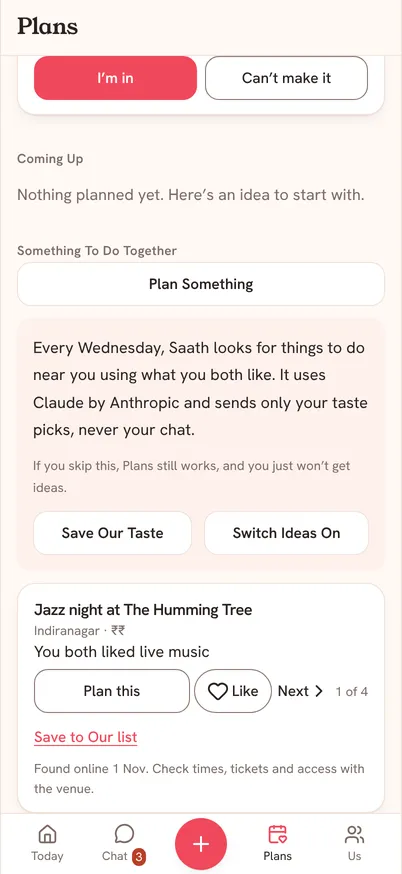
- Open Plans. Under Something To Do Together, tap Switch Ideas On.
- Tap Save Our Taste and add Things You Love, Things To Avoid and your Starting Area.
- Tap Save My Taste. Your partner can see these choices, and they help the ideas fit you both.
- At the end of Plans, tap Set Up Ideas, then Look For More Now.
- On each idea, tap Plan this, Like, or Next. Tap Save to Our list to keep it for later.
Questions about plan ideas
When do ideas arrive?
Every Wednesday, Saath looks for things to do near you using what you both like. You can also tap Look For More Now whenever you like.
What does Saath send to find them?
Only your taste picks and the areas you set. It uses Claude by Anthropic, and it never sends your chat. The line under the card says it plainly: Plans still works if you skip this, and you just will not get ideas.
It says to switch on Weekly plan ideas in Privacy
Look For More Now sends nothing while Weekly plan ideas is off. Open Settings, tap Privacy, and switch Weekly plan ideas on.
It says ideas are busy
Wait a few minutes and try again.
Are the ideas always right?
No. Each one says when it was found online, so check times, tickets and access with the venue before you go.