What is private in Saath, and what you control
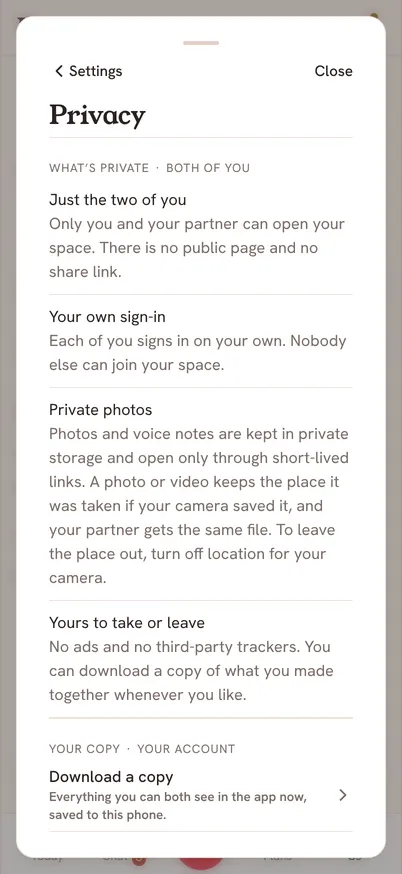
Saath is for the two of you. There is no public page and no share link. Open Settings, then Privacy, to read what is private, switch the AI features on or off, and download a copy of what you made together.
See your privacy choices
- Tap the gear icon at the top to open Settings.
- Tap Privacy.
- Read What's private at the top. It tells you who can open your space and where photos are kept.
- Under AI features, switch Weekly plan ideas or Reviewed capture on or off. Each one is off until you switch it on.
- Tap Download a copy to save what you can both see in the app to your phone.
Questions about privacy
Who can open our space?
Only you and your partner. Each of you signs in on your own, and nobody else can join.
Where do photos go?
Photos and voice notes are kept in private storage and open only through short-lived links. There are no ads and no third-party trackers.
What do the AI features do?
Weekly plan ideas lets Claude by Anthropic use your taste choices and the areas you set to suggest ideas for the two of you. Reviewed capture lets Claude read the text or photo you add so it can suggest changes, and you review every suggestion before anything is saved. Voice to text happens on your phone and sends nothing to an AI service.
Can I switch them all off at once?
Yes. In Settings, open Help, then Pause AI features. It stops weekly plan ideas, reviewed capture and voice to text for both of you until you resume, and your choices in Privacy stay as they are.
What is in the copy I download?
Everything you can both see in the app now, saved to your phone. It works best on a computer, and on an iPhone you should keep Saath open until it finishes.