Browse guides
Saath Couples App · Today
How to play the weekly guess round with your partner
Once a week the Saath couples app turns Today's question into a guess round. You pick your own answer, guess what your partner will pick, and you both see the picks and guesses together after you have both sent. Nothing is scored.
On Saturdays the question on Today becomes a small game, and in the Saath couples app it is about knowing each other, not winning.
Play the guess round in two steps
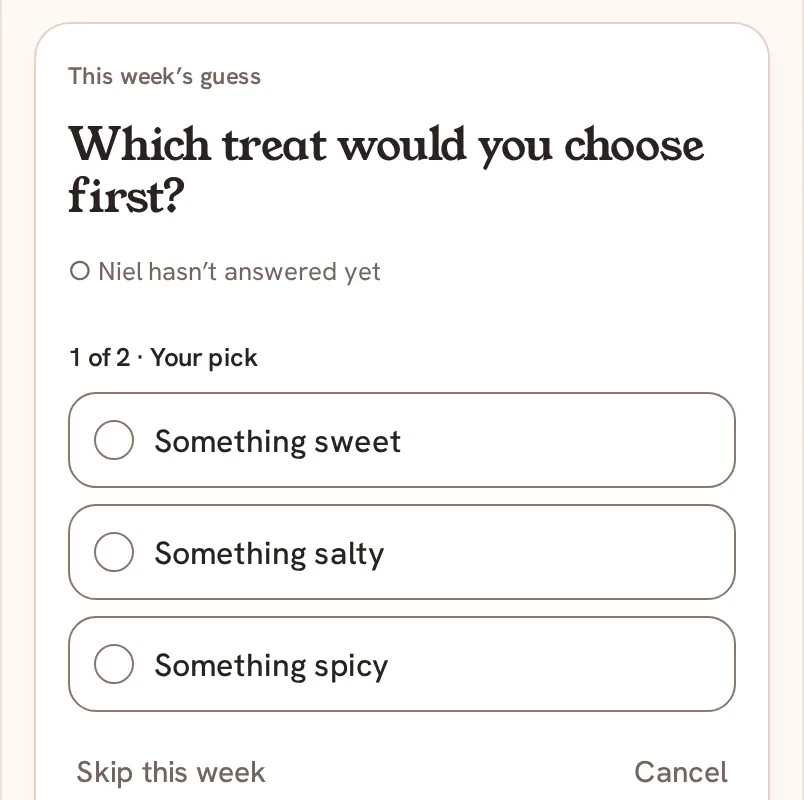
- On Saturday, open Today. The card is titled This week’s guess and shows a question with two to four choices.
- Tap Make your guess.
- Under 1 of 2 · Your pick, tap the choice that is true for you.
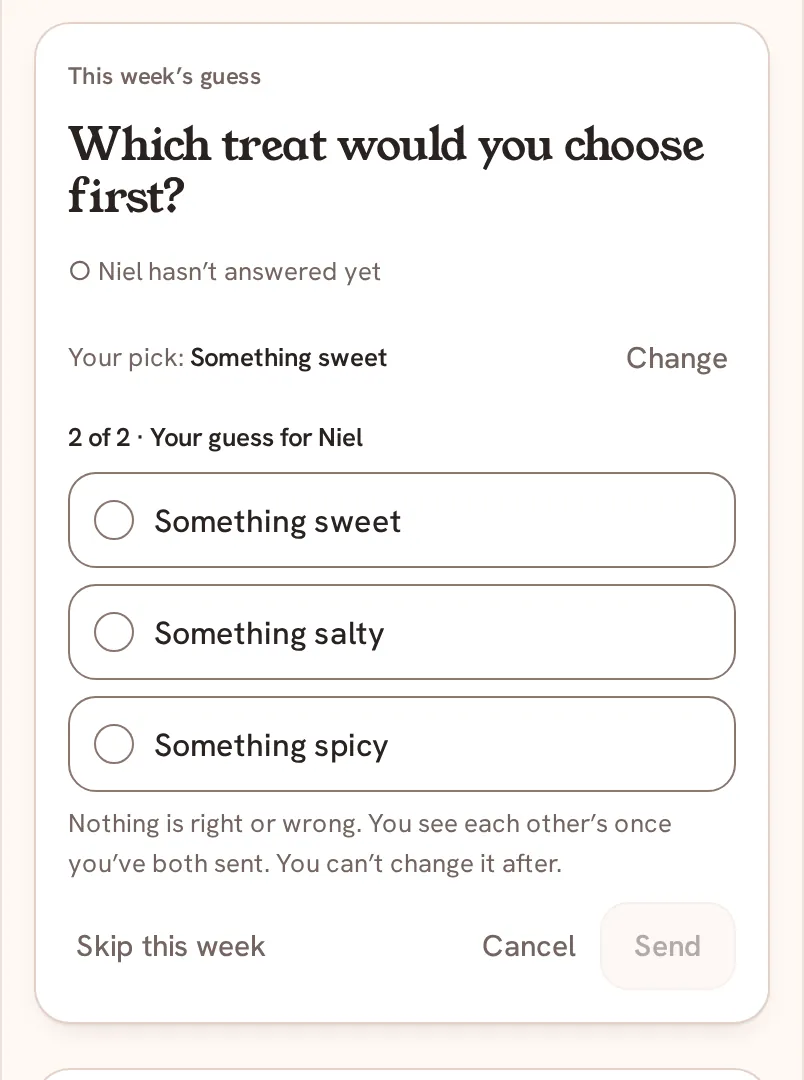
- Under 2 of 2 · Your guess for your partner's name, tap the choice you think they picked. To change your pick, tap Change.
- Tap Send. You cannot change your answer after you send it.
- Wait for your partner. Your card shows your pick and your guess, and the line Waiting for your partner's name.
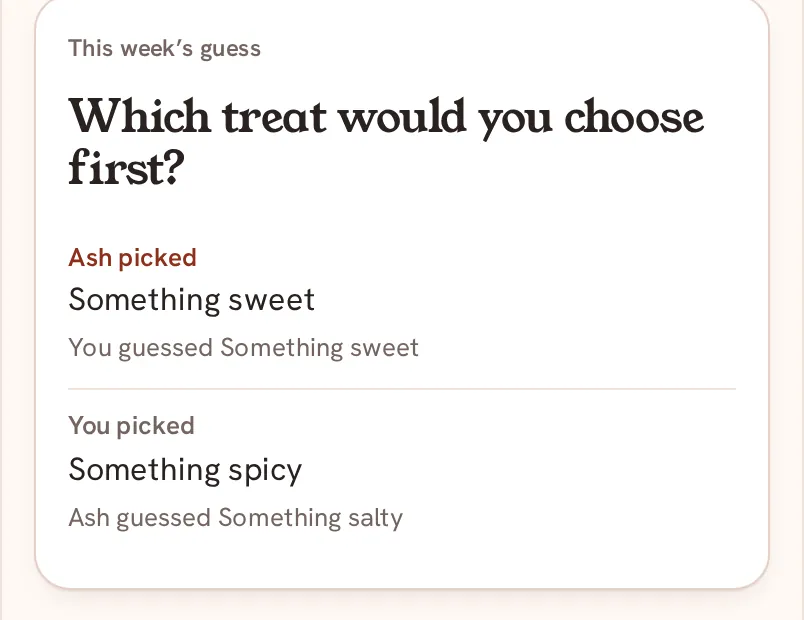
- When your partner has sent theirs, the card shows both sides: what they picked next to your guess, and what you picked next to theirs.
Saath Couples App
Join the waitlistWhat your partner sees
Your partner sees the same card on their Today. Until they have sent their own, it says you have answered, and your pick stays hidden. After you have both sent, each of you sees the same four lines.
Questions about the guess round
Is anything scored?
No. The app says it plainly: nothing is right or wrong. It shows picks and guesses side by side and never counts or compares them.
Can I skip a week?
Yes. Tap Skip this week. The app asks Skip this week’s guess? and tells you that you cannot answer it after and that your partner sees you skipped. Tap Keep it to go back.
Can I take my answer back?
No. Before you send, use Change or Cancel. After Send, the answer is final.
What if I have no signal?
The question needs a connection to send. Open the card again when you are back online.
Can we turn the guess round off in the Saath couples app?
Yes. Guess round is one of the settings for both of you ("On Saturdays, guess each other’s answer. Nothing is scored."). Either of you can change it, and it applies to both phones. See Settings for both of you.
Back to the guide hub, or read Today's question.