Browse guides
Saath Couples App · Today
How to reply to your partner's mood, send Thinking of you and cheer
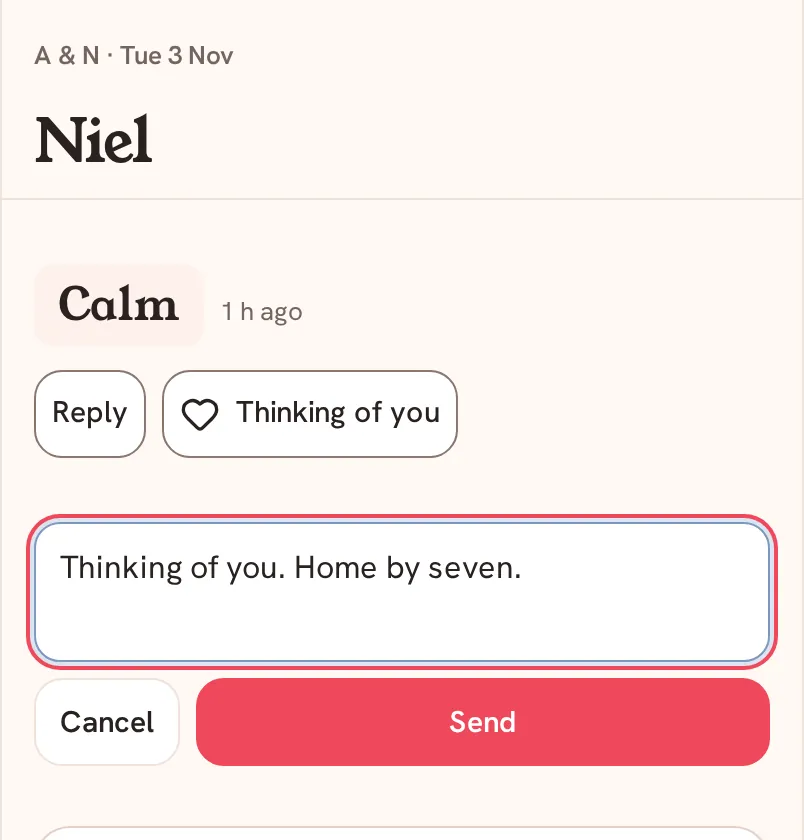
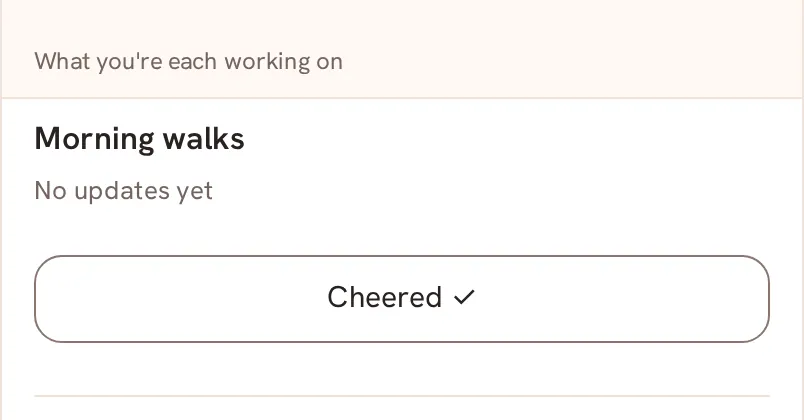
In the Saath couples app your partner's mood sits at the top of Today. Tap Reply to write back, tap Thinking of you to say it without words, or tap Cheer on a goal to show you noticed. Each one reaches your partner's phone.
A mood is only half of a moment, and in the Saath couples app you can answer it in three ways: write back, send a quiet heart, or cheer a goal.
Answer a mood in a few taps
- Open Today. Your partner's latest mood is at the top, with how long ago they shared it.
- To write back, tap Reply, type your message and tap Send. Tap Cancel to close the box without sending.
- After you send, the line On its way to Chat appears. Your message goes to Chat with their mood attached.
- To say it without words, tap Thinking of you. The button changes to Sent.
- To cheer a goal, scroll to What you're each working on and tap Cheer under your partner's goal. The button changes to Cheered.
- In Chat, their mood is also a card with quick answers: A Hug, Want A Call?, I’m Here, Distract Me? and Seen. Tap one to send it.
Saath Couples App
Join the waitlistWhat your partner sees
Your Reply arrives in Chat with their mood quoted above it. Thinking of you shows on their Today as a small note with the time. Cheer appears under New from your name as a line such as "cheered your check-in", or "cheered you on" when the goal has no check-in yet. A quick answer from Chat arrives as a short message, for example that you sent a hug.
Questions about replying and cheering
Why is there no Reply button on my Today?
Reply appears only while your partner's mood is showing. A mood is at full strength for four hours, then fades to Shared earlier, and it clears after twelve hours. Thinking of you is always there, even when your partner has not shared a mood today.
What if I have no signal?
A reply is kept on your phone and the line says Saved · sends when you’re back online. The other buttons show Needs connection until you are online again.
What if my reply does not send?
You see Could not send your reply. Try again. Your draft is still here. Your words stay in the box, so tap Send again. A reply holds up to 1,000 characters.
Is Reply different from writing in Chat?
It is the same Chat. Reply is a shortcut that attaches your partner's mood to your message, so they know what you are answering.
Who else sees my reply in the Saath couples app?
Only your partner. Replies, hearts and cheers go to the two of you and nowhere else.
Back to the guide hub, or read How to share a mood, Chat for two and Say what you need.