Browse guides
Saath Couples App · Settings and account
Choose your AI features and pause them together
In the Saath couples app, every AI feature is off until you switch it on. Open Settings, then Privacy, to switch Weekly plan ideas or Reviewed capture on or off, or open Help to Pause AI features for both of you.
Switch AI features on, off or pause them
The AI features in the Saath couples app only work after you say yes, and you can change your mind at any time.
- Open Us, then tap the gear icon at the top to open Settings.
- Tap Privacy.
- Under AI features, switch Weekly plan ideas on if you want an AI service to suggest ideas for the two of you.
- Switch Reviewed capture on if you want an AI service to read the text or photo you add and suggest changes.
- To stop every AI feature at once, go back to Settings and tap Help.
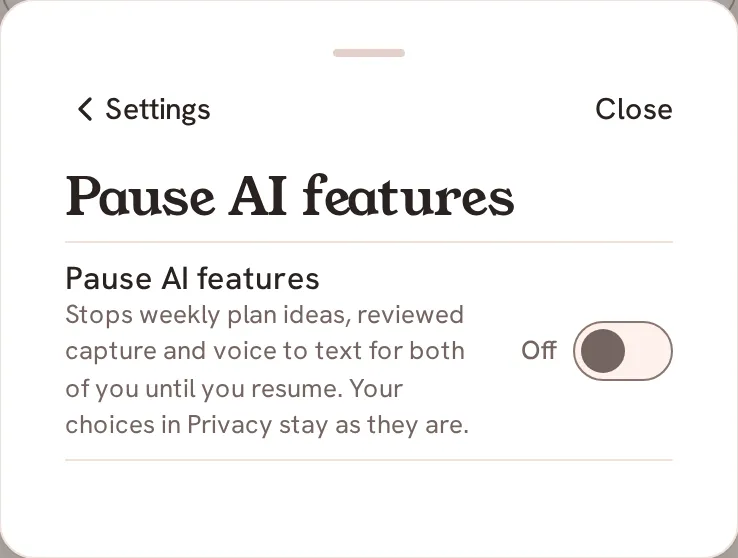
- Under Advanced, tap Pause AI features and switch it on. Switch it off again when you want them back.
Saath Couples App
Join the waitlistWhat your partner sees
Pausing is for both of you. Your partner's phone stops using these features too, until either of you switches the pause off. Your choices under Privacy are not changed by a pause.
Questions about AI features
Are the AI features on by default in the Saath couples app?
No. Each one is off until you switch it on, and the page says so: "Each one is off until you switch it on."
What does an AI service get?
With Weekly plan ideas, it uses your taste choices and the areas you set to suggest ideas, and only what the suggestion needs is sent. With Reviewed capture, it reads the text or photo you add so it can suggest changes, and you review every suggestion before anything is saved.
What does Pause AI features stop?
Weekly plan ideas, reviewed capture and voice to text, for both of you, until you resume.
Can I switch one on and leave the other off?
Yes. Each switch under AI features works on its own.
What if I have no signal?
The switches wait for a connection. You will see "Offline. Reconnect to change these." Reconnect, then try again.
What if it does not save?
Saath says "Could not save your choice. Try again." on Privacy, or "Could not save. Try again." on Pause AI features. Try the switch again. If the pause stops half way, the page shows the last answer it got, so the next tap finishes it.
Does a pause change my Privacy choices?
No. The page says: "Your choices in Privacy stay as they are." When you resume, they work as you set them.
Related guides: Privacy and Download a copy. Back to the guide hub.