Browse guides
Saath Couples App · Us
Start a movie or a call together with Watch together
Watch together in the Saath couples app adds a shared countdown to a Movie or Call plan. At the start time you both tap Ready, Saath counts down 3, 2, 1, and each of you starts playing in your own app.
Watch together in the Saath couples app turns a Movie or Call plan into a shared start, so you both press play at the same moment.
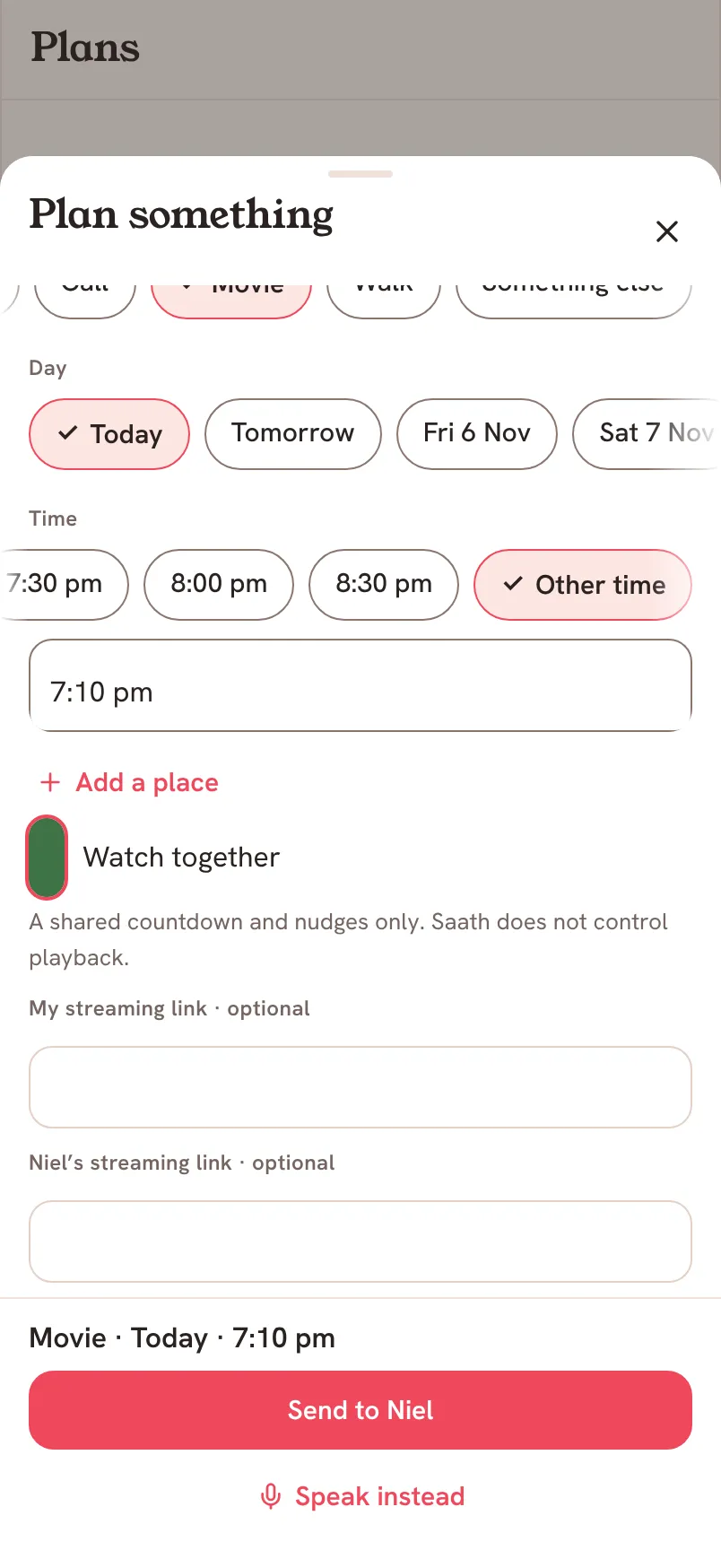
Set up Watch together
- Tap the + button, then Plan. Or open Plans and tap Plan Something.
- Under What, choose Movie or Call.
- Pick the Day and the Time when you will both be ready.
- Tick Watch together.
- If you want, add your own streaming link under My streaming link · optional. There is a second field for your partner’s link.
- Tap the Send to button with your partner’s name.
Saath Couples App
Join the waitlistOn the day
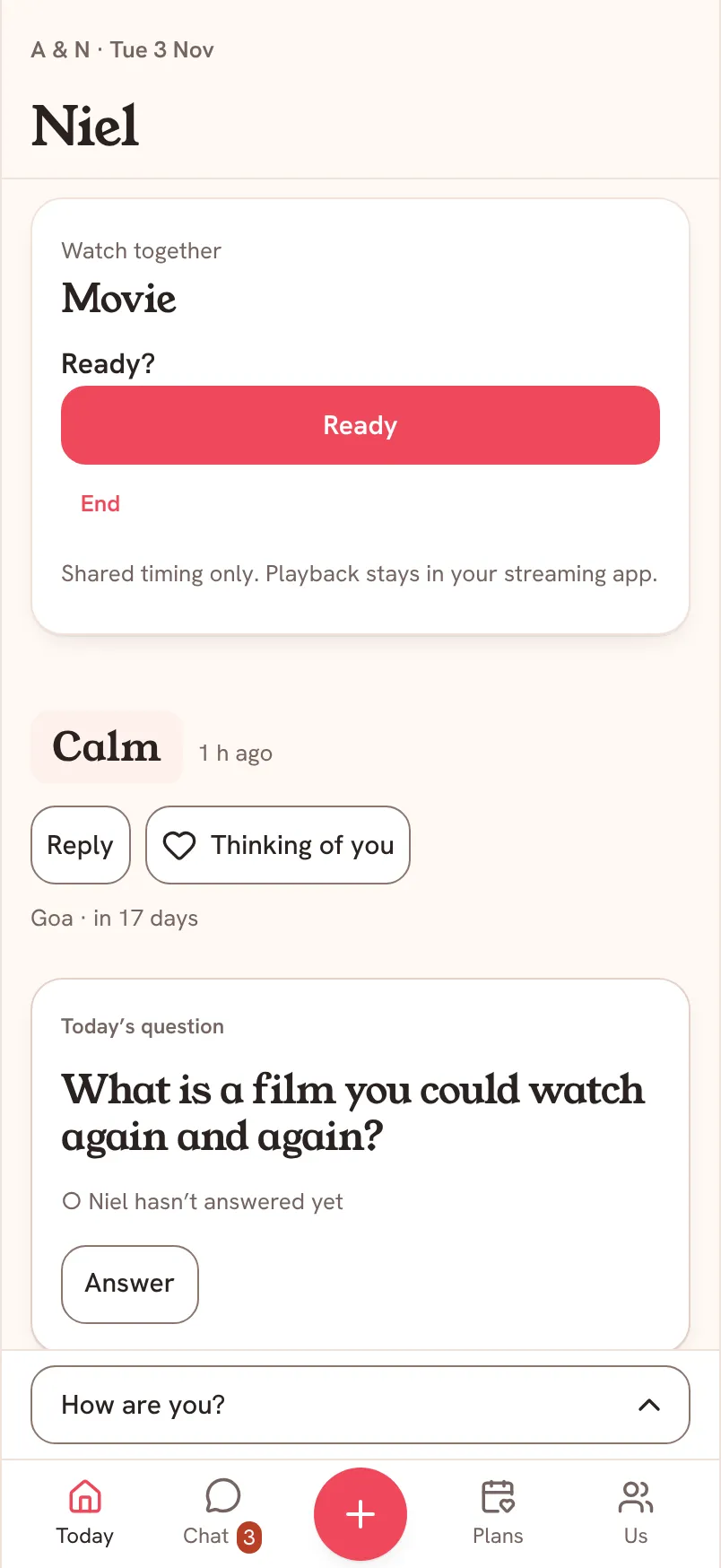
When the start time arrives, a Watch together card appears on Today and in Chat on both phones. Saath also sends you both a plan alert that says Time to watch together, if your alerts are on.
- Tap Ready when you are in place. The button turns to You’re ready, and the card tells you when your partner is ready too.
- When you are both ready, the card counts 3, 2, 1, then says Press play.
- If you added a link, tap Open to go to it. Then press play in your streaming app.
- Tap Pause for a sec if one of you needs a moment. Your partner sees that you paused. Tap Resume with 3–2–1 to start again together.
- Tap End when you are done.
What your partner sees
Your partner gets the plan as usual and answers it as usual. At the start time they see the same card, with the same buttons. If you gave them a link, Open goes to their own link. Neither of you sees the other person’s link.
Questions about Watch together
Does Saath play the movie for us?
No. The card says Shared timing only. Playback stays in your streaming app. Saath only counts the start with you. Each of you presses play yourself.
Why do I not see Watch together in the plan sheet?
It shows only for Movie and Call plans, and only while you are online. Pick one of those under What.
Which streaming links work in the Saath couples app?
Links from the main streaming services that Saath supports. If a link is not supported, Saath asks for a supported one or says you can leave it blank. The link is always optional.
What if the plan is in another time zone for my partner?
The start is one moment in time, so the card appears for both of you at that moment, and each phone shows the time in its own clock.
What if I have no signal?
Tapping Ready, Pause for a sec, Resume with 3–2–1 or End needs a connection. Saath says Needs a connection. until you are back online.
What if it does not update?
Saath says Could not update this shared countdown. Try again. Tap the button again once you have a connection.
How do I end it?
Tap End on the card. It closes the shared countdown for both of you.