Browse guides
Saath Couples App · Settings and account
Lock Saath so only you can open it
In the Saath couples app on your phone, you can lock the app. Open Settings, then Privacy, and turn it on. It is off by default, and Saath locks whenever the app leaves the screen.
Turn the lock on or off
The lock is in the Saath app on iPhone and Android. It is not in the browser.
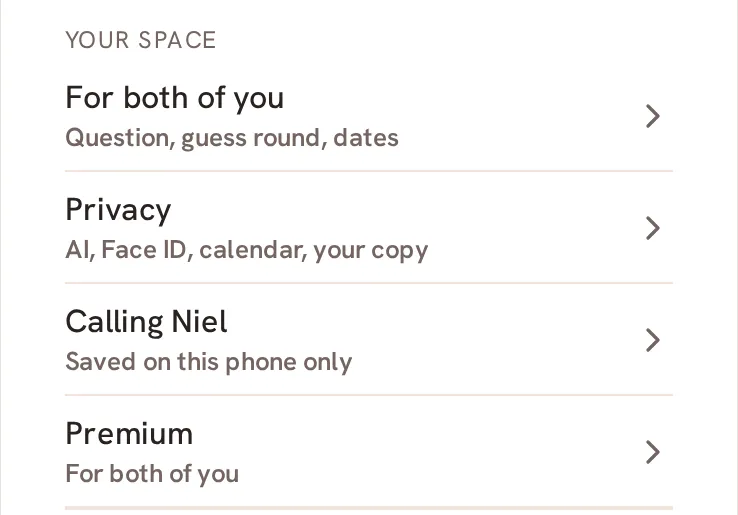
- Open Us, then tap the gear icon at the top to open Settings.
- Tap Privacy.
- Find Lock with Face ID on iPhone, or Lock Saath on Android.
- Tap Turn on Face ID lock, or Turn on the lock on Android.
- Confirm with Face ID, or with your phone's lock on Android. The row now says On.
- To switch it off, tap Turn off Face ID lock, or Turn off the lock on Android, and confirm again.
Saath Couples App
Join the waitlistWhat your partner sees
Nothing. The lock is for this phone only. Your partner's phone has its own lock setting, and they are not told what you choose.
Questions about the app lock
Is the lock on by default?
No. The row says: "Off by default. When on, Saath locks whenever the app leaves the screen."
Why do I not see the lock row?
It only shows in the iPhone or Android app. In a browser there is nothing to lock. If your phone cannot offer it you will see "Face ID is not available on this phone." on iPhone, or "The lock is not available on this phone." on Android.
What if it does not turn on?
Saath says "Face ID did not confirm. The lock setting was not changed." or "The lock did not confirm. The lock setting was not changed." Nothing changed, so try again. If it says "Could not check Face ID on this phone." or "Could not check the lock on this phone.", close the app and open it again.
When does Saath lock?
Whenever the app leaves the screen. Alerts are their own setting, in the Alerts guide.
What if I have no signal?
The lock is checked on your phone, so it works without a connection.
Can I use the lock in the Saath couples app on a browser?
No. The lock is only in the iPhone and Android apps.
Related guides: Privacy and Alerts. Back to the guide hub.