Browse guides
Saath Couples App · Chat
React, reply and more on a message
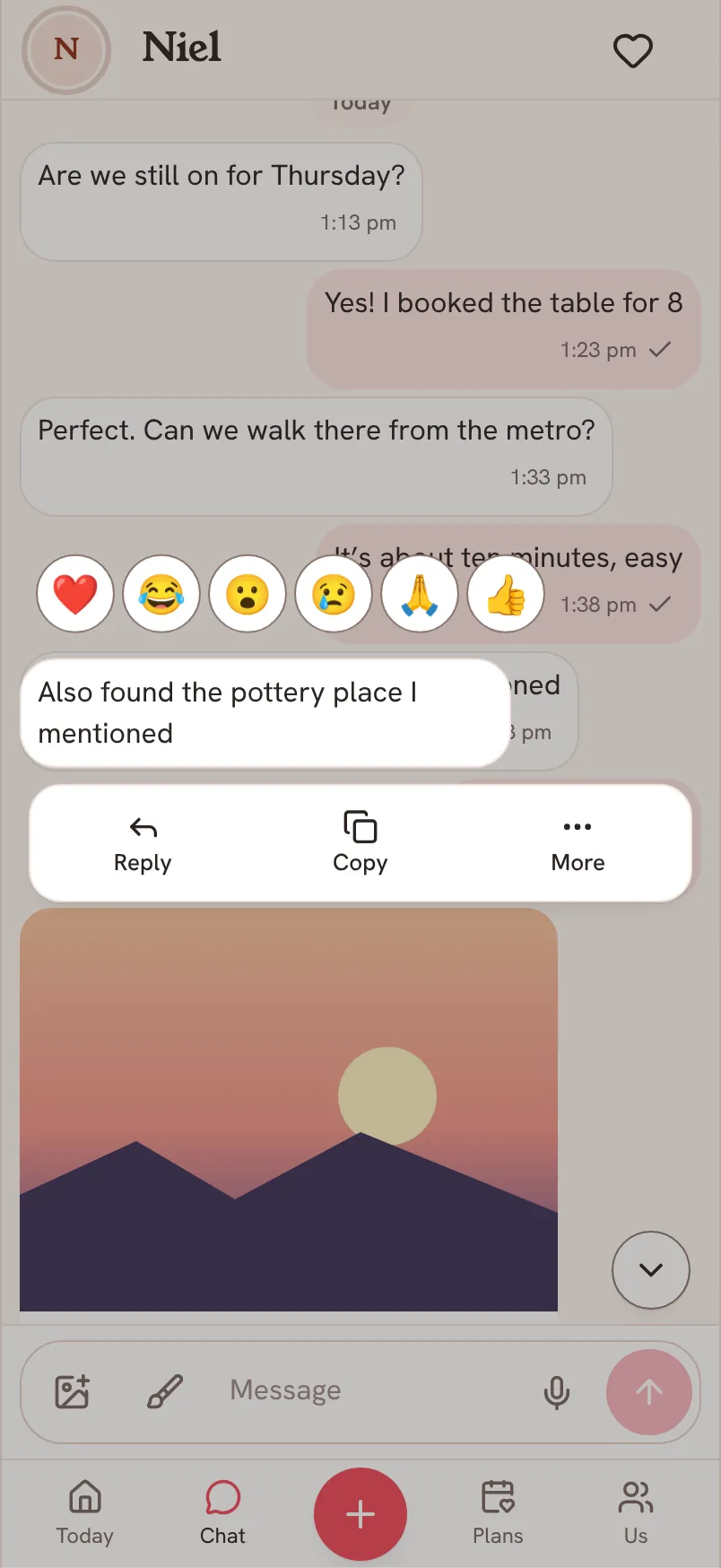
In the Saath couples app, press and hold a message to open its options. Tap a reaction, reply, copy, edit or delete your own message, or tap More to keep it as a memory, remind yourself later, or move it.
Every message in Chat in the Saath couples app has its own options: reactions on top, and a short row of actions underneath.
Open a message's options
- Open Chat and press and hold a message for half a second. A double-tap works too, and so does Enter if you use a keyboard.
- To react, tap one of the six reactions above the message. Or slide along them and let go on one. Tap yours again to take it back.
- To answer, tap Reply. A quote of the message sits above your message box. You can also swipe a message to the right.
- Tap Copy to copy a message's words. Tap Edit on your own message to change it, then tap Save.
- Tap Info on your own message to see Sent, Reached A Device or Read. Tap Back to return.
- Tap Delete on your own message, then Delete again under Delete for both?. Tap Keep if you change your mind.
- Tap More for Keep as a memory, Remind me later, Move to a space, Report, and every reaction.
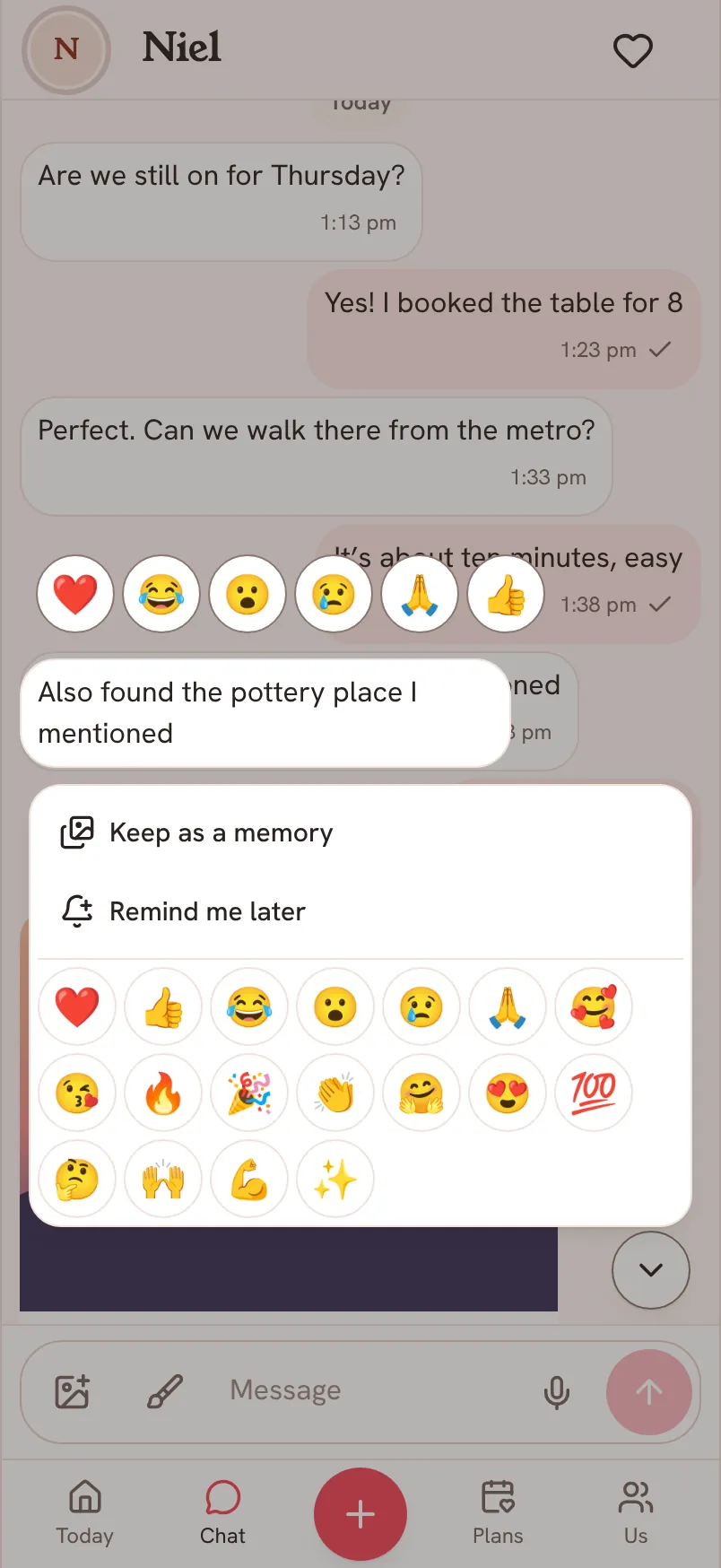
Remind me later is for your partner's messages: choose In an hour, Tomorrow morning or Choose a time, then Save reminder, and the message stays on Today for when you want to return to it. Move to a space is for your own messages and opens Move this message, where you pick Regular chat or a space and tap Move. Report is for your partner's messages.
Saath Couples App
Join the waitlistWhat your partner sees
Your reaction appears under the message on their phone. An edited message shows the word edited. When you delete a message for both, they see a line saying you deleted a message. A reply shows the quote it answers.
Questions about message options
Does a double-tap send a heart?
No. A double-tap opens the options. Tap the heart in the row of reactions to send it.
Can I undo a delete?
For a few seconds a bar says Deleting message with Undo. After that the message is gone for both of you. When you remove a photo, Saath asks first and says that copies already downloaded cannot be recalled.
What can I do with messages in the Saath couples app when I have no signal?
Edit and Delete need a connection and only appear on your own messages. Without a signal, a reaction says Reconnect to react.
What if a reaction does not save?
Saath says Reaction wasn’t saved. Please try again. Tap the reaction again.
How do I remove a reaction I sent?
Tap your own reaction under the message. It also shows in the More panel with yours pressed.
Can I copy a photo or a voice note?
Copy works on words only. Use Keep as a memory to save a photo or a voice note.
Can I react to my own messages?
Yes. Reactions work on any message, yours or your partner's.
More about talking in Chat is in Chat: messages and quick replies and Send and keep photos.