Browse guides
Saath Couples App · Us
Finish, archive or delete a trip, goal or list
A trip, goal or list moves to Done together when you archive it, and you can bring it back. In the Saath couples app, deleting is different: it removes the space for both of you after you type DELETE.
In the Saath couples app, a trip, a goal or a list stays in Together until it is done, and then it moves to Done together without being deleted. The app calls each one a space.
Some things finish on their own. A trip moves to Done together after its last day, and a list moves there when every step on it is ticked. Archiving puts any of them there on purpose.
Archive or delete a trip or list
- Open Us, tap Together, and tap the trip or list.
- For a trip, tap More, then Edit trip. For a list, tap Edit.
- Tap “Archive this trip” or “Archive this list”. The button names what you are editing.
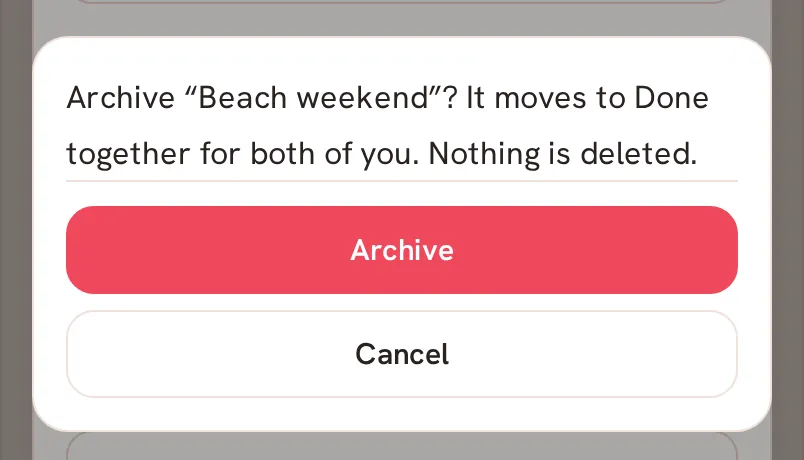
- Read the question, then tap Archive. It says “It moves to Done together for both of you. Nothing is deleted.”
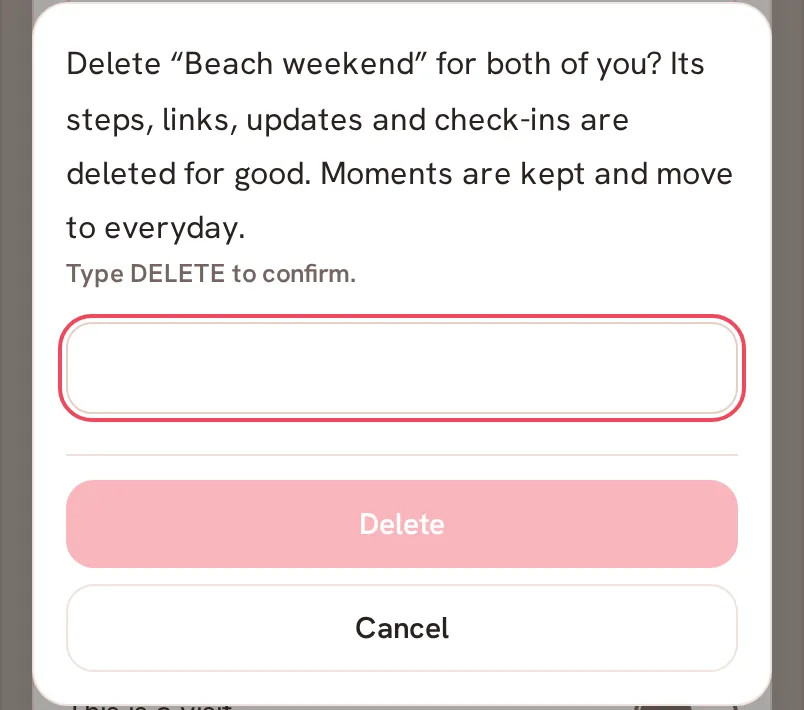
- To delete instead, tap “Delete this trip” or “Delete this list”, type DELETE where it says Type DELETE to confirm., and tap Delete.
- If you change your mind, tap Undo while the bar that says Deleting space is showing.
Saath Couples App
Join the waitlistBring it back
Open Done together under Together. An archived space shows Bring back on its row. Tap it, and the space returns to Together for both of you.

What your partner sees
Archiving moves the space to Done together on their phone as well. Deleting removes it for both of you, with its steps, links, updates and check-ins. Moments are kept.
Questions about finishing and deleting
Does deleting remove my partner's copy in the Saath couples app?
Yes. A deleted space is deleted for both of you, and the app asks you to type DELETE before it goes ahead. Archive it instead if you only want it out of the way.
Can I get a deleted space back?
Only while the Undo bar is showing. After that, its steps, links, updates and check-ins are deleted for good.
Why is there no Bring back on a finished trip?
Bring back only shows for a space that was archived. A trip whose last day has passed, or a list with every step ticked, is in Done together because it is finished, not because it was archived.
Why can't I see the delete button?
The delete button only appears for a space that is yours or is for both of you. A space that belongs to your partner cannot be deleted from your phone.
What if I have no signal?
Changes wait for a connection. The app says Offline: your saved plans are readable. Reconnect to save changes. and Bring back does not work until you are online. If a delete fails you see Could not delete this. Try again.