Browse guides
Saath Couples App · Us
Start a list together, tick things off and add links
A list in the Saath couples app is a tick list for anything you are sorting out together. Open Us, tap Together, then Start something and A list. You can begin with a template, then add tasks, links and notes.
Start a list and tick things off
A list in the Saath couples app is a shared tick list for something like a move, a wedding or a room.
- Open Us, tap Together, then tap Start something.
- Tap A list and write what it is for under What's it for?
- Under Start with a few suggestions, pick Blank, Moving house, Wedding guests or Weekend away.
- Tap Start the list. It appears under Trips and lists.
- Open the list and tap a circle to tick a task. Ticked tasks move to the bottom.
- Tap Add a task, write it in Add something, then tap Add.
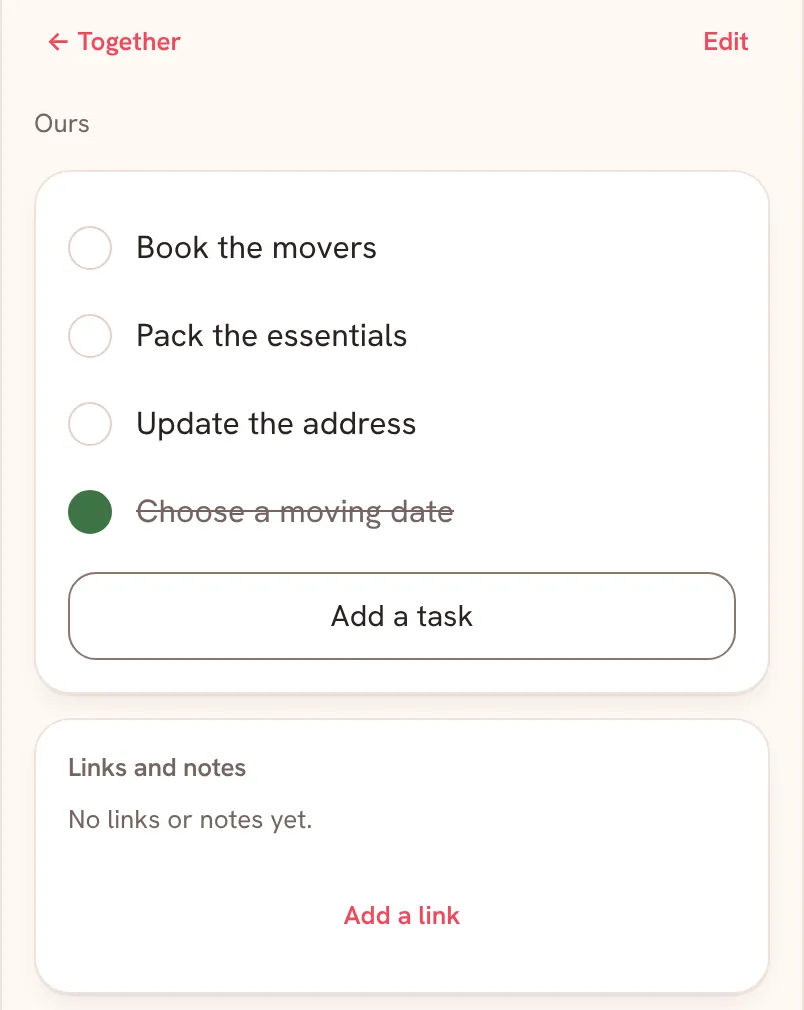
Further down, Links and notes keeps what belongs to the list. Tap Add a link to add one, and tap Talk about it to talk about the list in Chat.
Saath Couples App
Join the waitlistWhat your partner sees
A list marked Ours shows for both of you, and a tick or a new task shows on both phones. A list that belongs to just one of you is not shown to your partner.
Questions about lists
What do the templates contain?
Moving house starts with Choose a moving date, Book the movers, Pack the essentials and Update the address. Wedding guests starts with Draft the guest list, Check addresses, Send invitations and Note the replies. Weekend away starts with Choose the dates, Book a place to stay, Plan the journey and Pack the essentials. Every suggestion can be changed or deleted.
Can I rename a list or change who it is for?
Yes. Tap Edit at the top of the list. In Edit list you can change the name, add what you are working toward, choose who it is For, and set dates. Tap Save to keep your changes.
How do I change a task or untick it?
Tap the words of a task to change them. To untick a task you ticked by mistake, tap its circle again.
What if I have no signal?
A tick you make offline shows Sends when you're back online and sends when you are back. If your partner changed the same task meanwhile, you see Changed elsewhere and can tap Remove stale change. If a change shows Not saved, tap Retry or Discard.
What does an empty list say?
Nothing here yet. Add the first thing below.
Is this free in the Saath couples app?
Lists are not on the list of what Premium adds. Open Settings and tap Premium to see what it does cover.
More guides
Back to the guide hub. Next, read Us and Goals.