Browse guides
Saath Couples App · Settings and account
Get help or report a problem in Saath
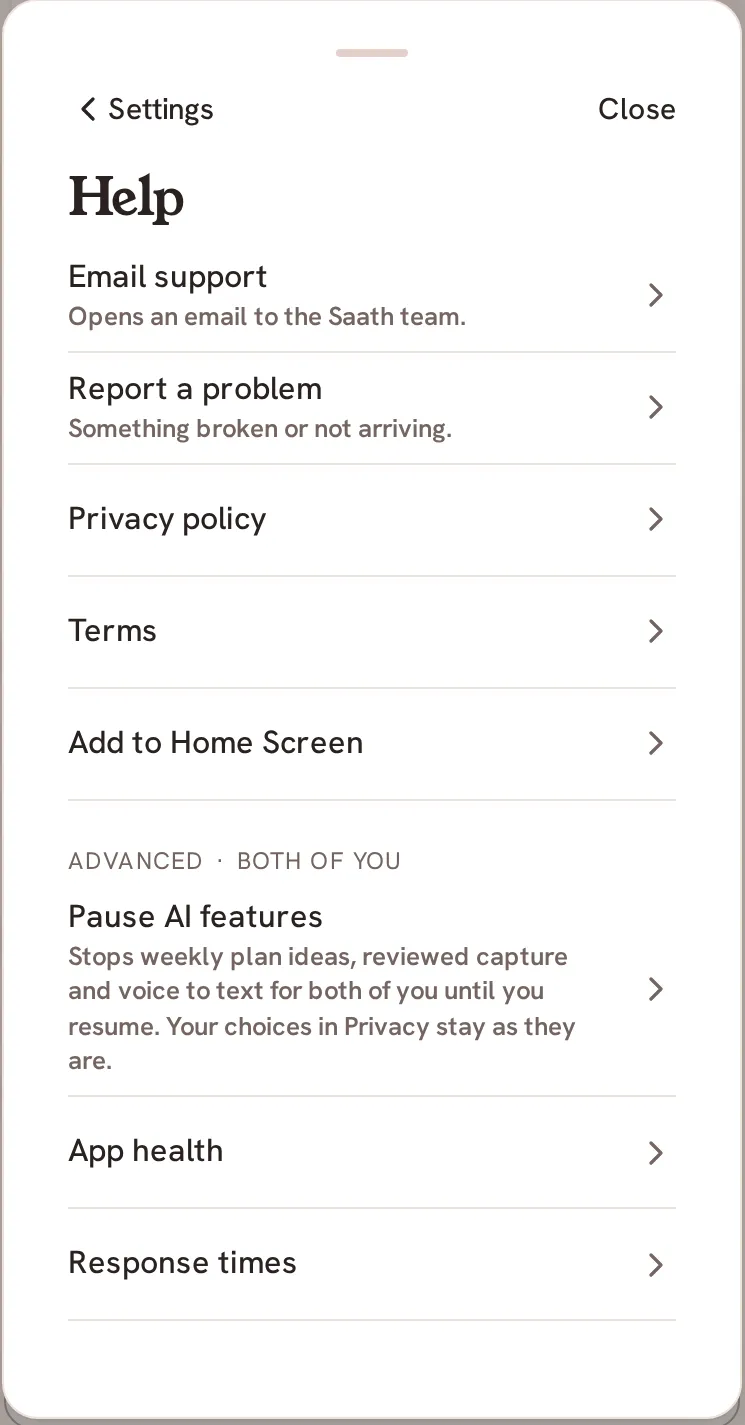
In the Saath couples app, open Settings, then Help. Tap Email support for a question or Report a problem for something broken or not arriving. Both open an email with your app version and device model already filled in. Privacy policy and Terms are on the same page.
The Saath couples app keeps its help in one place, so you can ask a question or report a problem without leaving the app.
Get help or report a problem
- Tap the gear icon at the top of Us to open Settings.
- Under Help and account, tap Help.
- Tap Email support to ask a question. It opens an email to the Saath team.
- Tap Report a problem if something is broken or not arriving. It opens an email too.
- Add what happened in your own words and send it from your mail app.
- Tap Privacy policy or Terms to read them.
Saath Couples App
Join the waitlistWhat your partner sees
Nothing. Writing to support stays between you and the Saath team, and your partner is not copied.
Questions about help and support
What is in the email?
Your app version and your device model are filled in, so you do not have to look them up. Write what you expected and what happened instead. Messages, photos and moments are not added to it.
What are the Advanced rows?
Pause AI features, App health and Response times sit under Advanced, and the first two are marked for both of you. Pause AI features stops weekly plan ideas, reviewed capture and voice to text for both of you until you resume. App health is a plain check of alerts and reminders; see the guide on App health. Response times shows how long Saath took to answer your taps on this phone over the last 30 days. Only times are kept, never what you wrote or saw.
What is Add to Home Screen?
In a browser, Add to Home Screen shows how to put Saath on your phone and open it from there, which is also how to turn on notifications on an iPhone. In the apps from the store, the row is not shown.
What if I have no signal?
The email app opens either way, and it sends when your phone is back online. See the guide on using Saath offline.
Where is the Saath couples app support email?
Both rows open an email to support@saathfortwo.com, so you can also write to that address from any mail app.
What if an alert does not arrive?
Try Send a test alert and Repair alerts on this phone first, as the guide on alerts describes. If it still fails, use Report a problem.