Browse guides
Saath Couples App · Us
Keep a diary of your trip, day by day
The trip diary in the Saath couples app keeps what you each want to remember, grouped by trip day. Open the trip, tap Add to today’s diary, write a line or add photos, and share it with your partner.
The trip diary in the Saath couples app is where a line, a feeling or a few photos from each day of your trip are kept for both of you.
Add to today’s diary
- Open your trip from Us, then Together.
- Tap Add to today’s diary at the bottom of the page.
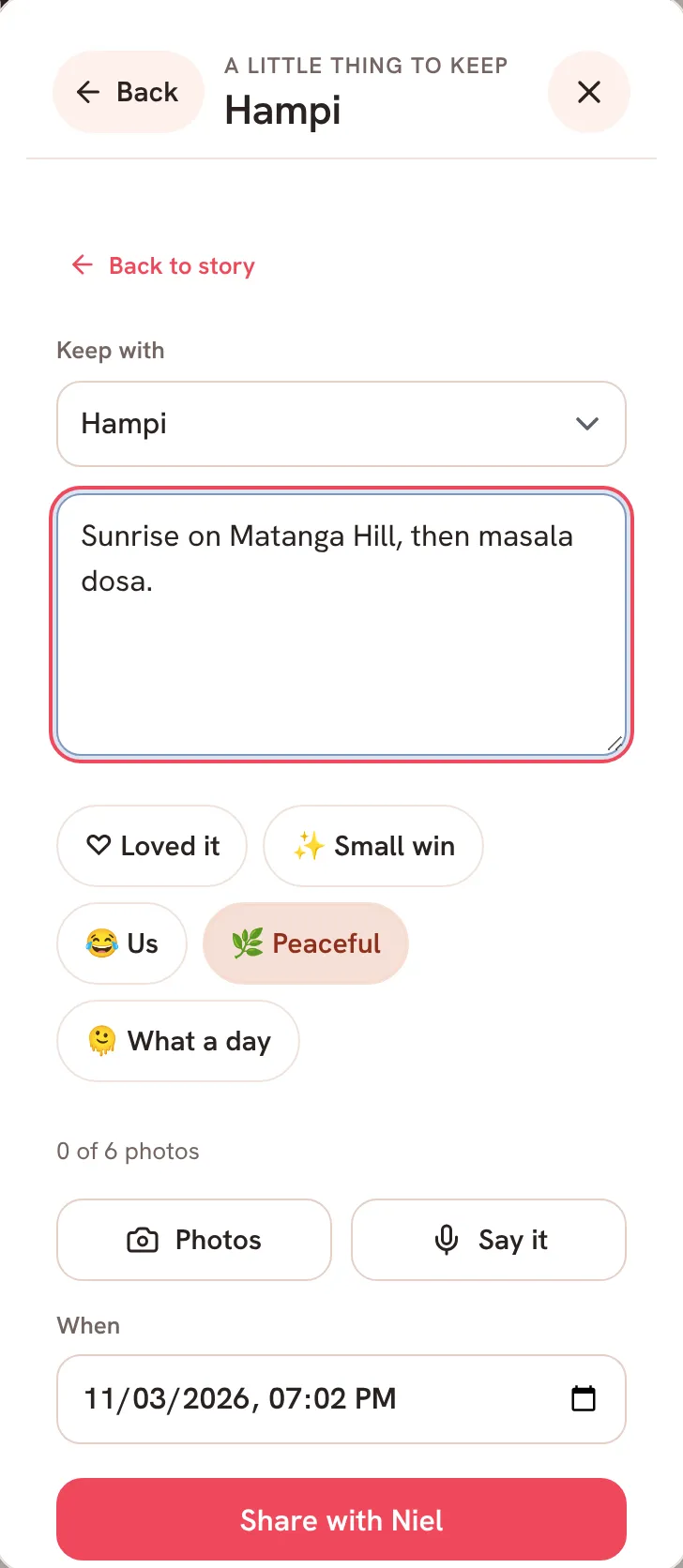
- Tap A line or photo for today. The line under it says which day it goes under.
- Write a few words. If you want, pick a feeling: Loved it, Small win, Us, Peaceful or What a day.
- Tap Photos to add up to six, or Say it to speak instead of typing.
- Check When, then tap Share with and your partner’s name.
Saath Couples App
Join the waitlistReading it back
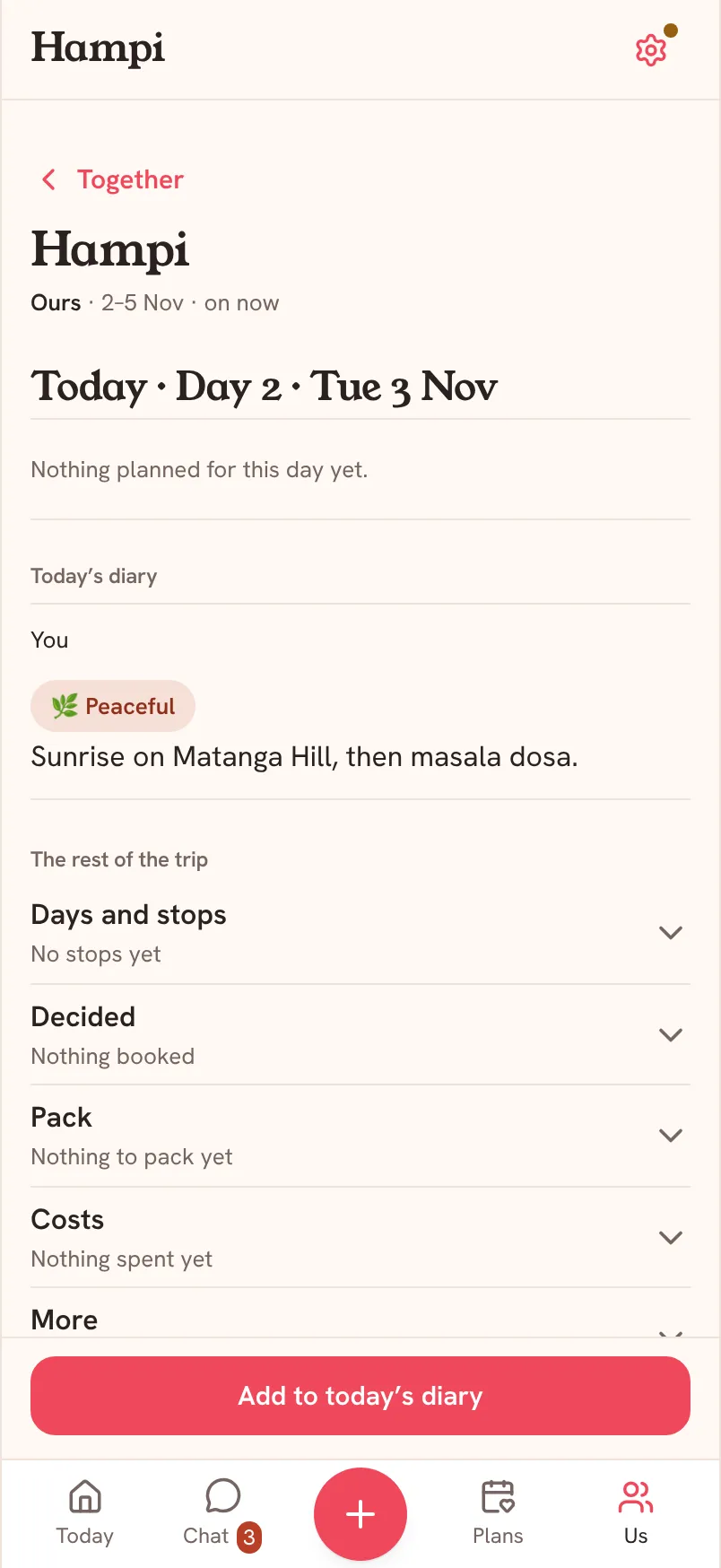
During the trip, Today’s diary sits near the top of the page, under Today and its stops. Earlier days come after it, newest first, each titled with its day and date, such as Day 2 · Tue 3 Nov. Every entry shows who wrote it.
Before and after the trip
Before the trip starts, the diary is a row called Diary under Before you go. It says when Day 1 is. Tap it and tap Add to the diary to keep something early. It goes under Before the trip. After the trip, the dock says Add to the diary and the diary leads the page, with After the trip for anything kept later.
What your partner sees
On a trip you share, your partner sees each entry in the same diary, under your name, with its photos and feeling. They can add a comment under it. Their own entries appear on your phone the same way.
Questions about the trip diary
Who can see my diary in the Saath couples app?
You and your partner, on a trip that is Ours. Each entry is also kept in Our story, tagged with the trip.
Can I undo an entry?
After you share, a line at the bottom says Shared with your partner’s name and shows Undo. Tap it straight away if you slipped.
Why is there no Diary on my trip?
A Someday trip has no dates, so it has no days to keep a diary by. Tap Edit trip, add Starts on and Ends on, and the diary appears.
What if I have no signal?
During and after the trip, what you add to the diary waits on your phone and sends when you are back online. Saath says What you add to the diary waits here and sends when you’re back online. Before the trip, adding needs a connection.
Can I add more than six photos?
An entry holds up to six photos. Add the rest in another entry.
What if it does not share?
Check your connection and tap Share with again.