Browse guides
Saath Couples App · Plans
Open a plan to book it, change it or cancel it
In the Saath couples app you open any plan on Plans to see who is in and what to do next. From the same sheet you can save a booking, change the time or the plan, add costs, and cancel it. Your partner sees the changes.
Plan details in the Saath couples app are one sheet that shows where a plan stands and lets either of you change it.
Open a plan and manage it
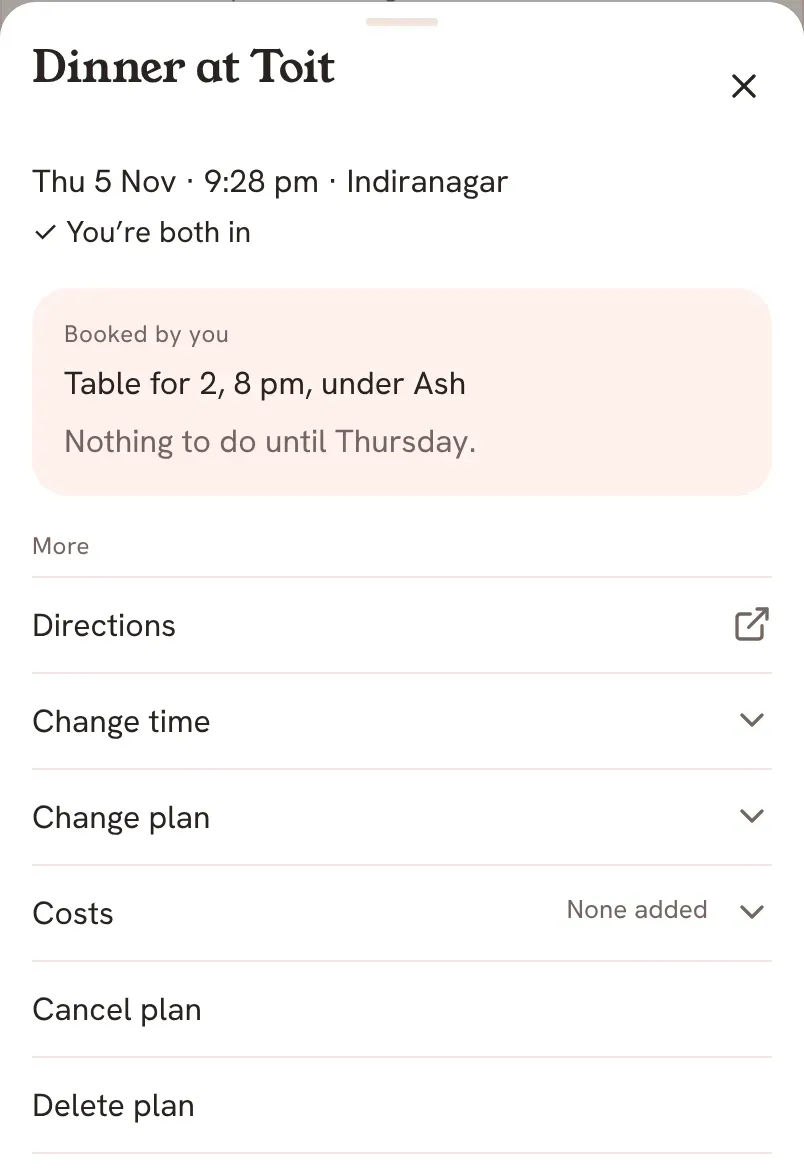
- Open Plans and tap a plan, for example one under Coming Up. The sheet shows the plan's name, its day, time and place, and who is in, such as You're both in.
- Read the box marked Next. It says what to do now. For a dinner or lunch you both said yes to, it says Book the table. For an event it says Get the tickets.
- To save a booking, tap Add booking, write a link or a note under Booking link or note, and tap Save. The box then says Booked by you and shows your note.
- Under More, tap Directions to open the place in Maps. This row shows once you are both in and the plan has a place.
- Tap Change time, pick a Day and a Time, and send it to your partner. Your partner sees the new time and answers again.
- Once you are both in, tap Change plan to edit What and Where, then tap Save. Your partner sees the change on the plan.
- Tap Costs to add an amount, who paid and what it was for. Costs belong to the plan, not to either of you. This row shows after your partner has answered.
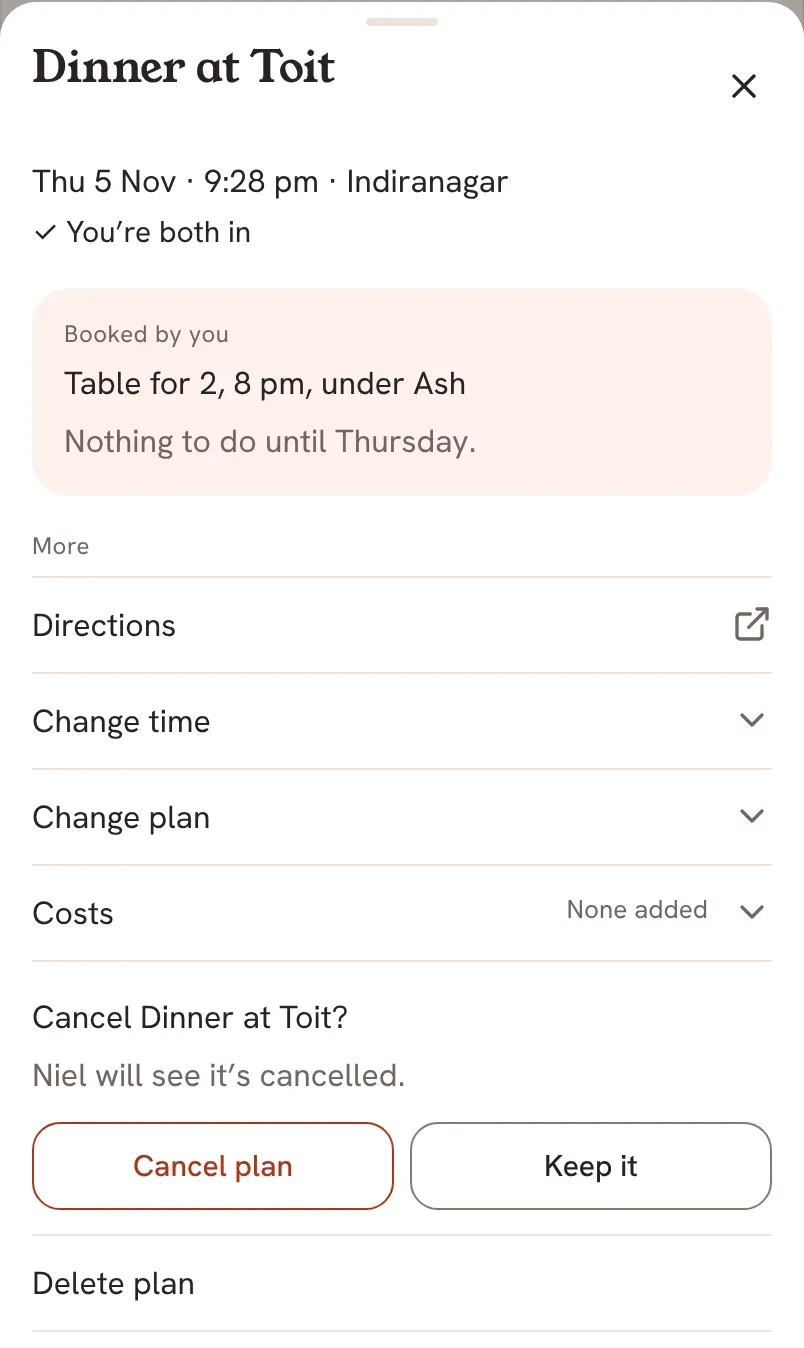
- To call the plan off, tap Cancel plan. Saath asks to confirm and says your partner will see it is cancelled. Tap Cancel plan again, or Keep it.
Saath Couples App
Join the waitlistWhat your partner sees
Your partner sees a booking you save on the same plan, with Booked by and your name. They see a new time as a new suggestion to answer, and they see changes to the name or place. When you cancel, they are told the plan is cancelled.
Questions about plan details
What does Booked mean?
It means one of you saved a booking link or note. The plan sheet says who booked it and shows the note, so you both have it.
What happens to the booking when I change the time?
The booking is cleared, and both answers are asked again. You are counted as in, and your partner answers the new time. Add the booking again once you both agree.
Can I undo a cancel?
Yes, for a few seconds. A bar at the bottom says Cancelling and the plan's name, with Undo. The plan goes back to Our list with no day or time, and the answers and booking are cleared.
What does Delete plan do?
It removes the plan itself instead of keeping it on Our list, and Saath tells your partner. If the plan still has costs that are not settled, Saath says it still has shared costs that are not settled, and asks you to remove or settle them first.
What if I have no signal?
When you change a time, Saath says your choices stay here and you can send when you are back. To cancel or delete a plan, Saath says Reconnect to change this plan. and changes nothing until you are online.
Can I plan the same thing again?
Yes. Once a plan's time has passed, the sheet shows Plan this again in place of Change time and Cancel plan. You can also start a new plan from Plans.