Browse guides
Saath Couples App · Chat
Send a voice note to your partner
In the Saath couples app, hold the mic next to the message box, speak, and let go. Listen to your recording, then tap Send voice message. It lands in Chat for your partner to play.
A voice note in the Saath couples app is a short recording you hold the mic to make, listen to, and then send into Chat.
Record and send a voice note
- Open Chat. The mic button is beside the message box, and its name is Hold to record voice message.
- Press and hold the mic, then speak. A line at the bottom counts the seconds and says Release to finish.
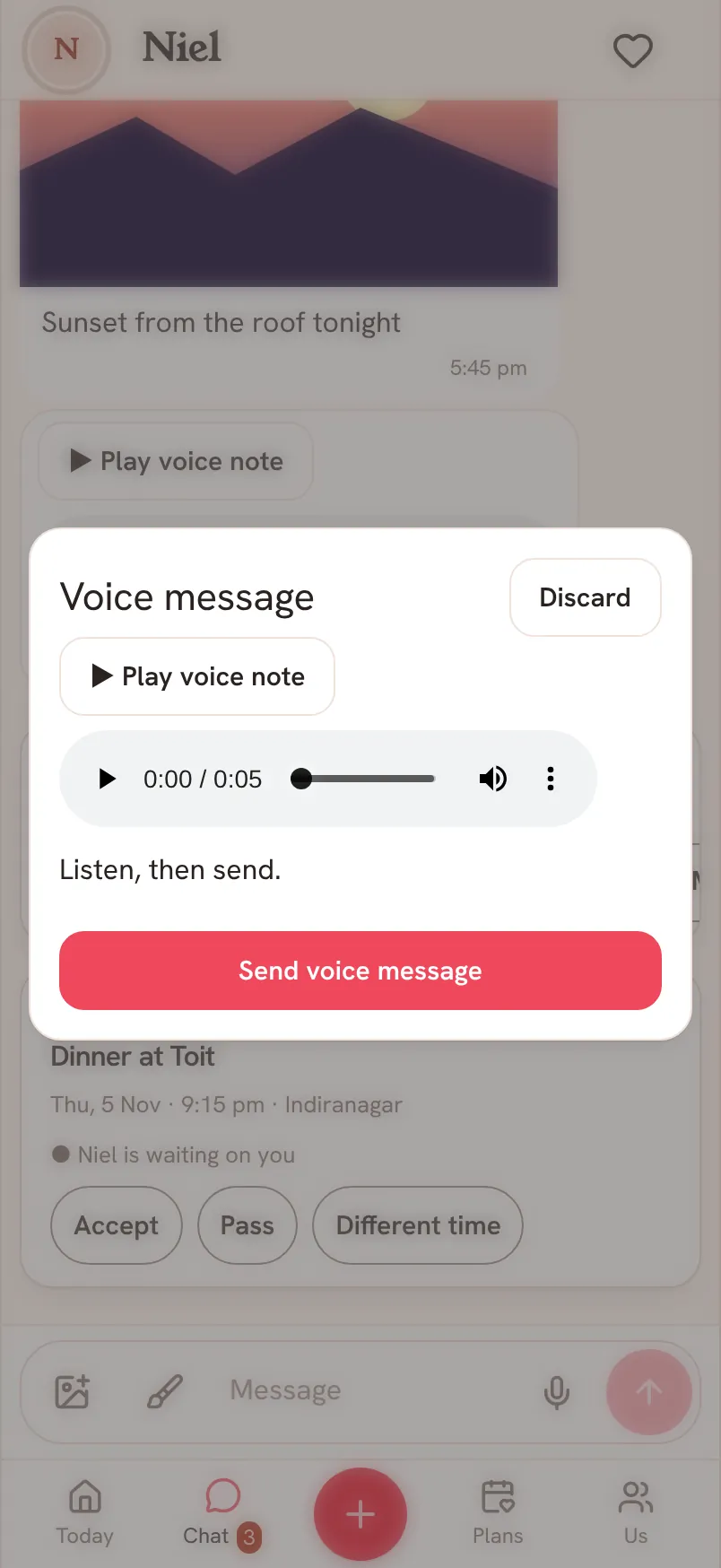
- Let go when you are done. The Voice message sheet opens with your recording.
- Tap Play voice note to listen back. Tap Discard if you want to throw it away.
- Tap Send voice message. The sheet closes at once, and Chat shows a card named Voice message with its length while it goes out.
- If a card says it did not send, tap Retry, or tap Remove to stop it.
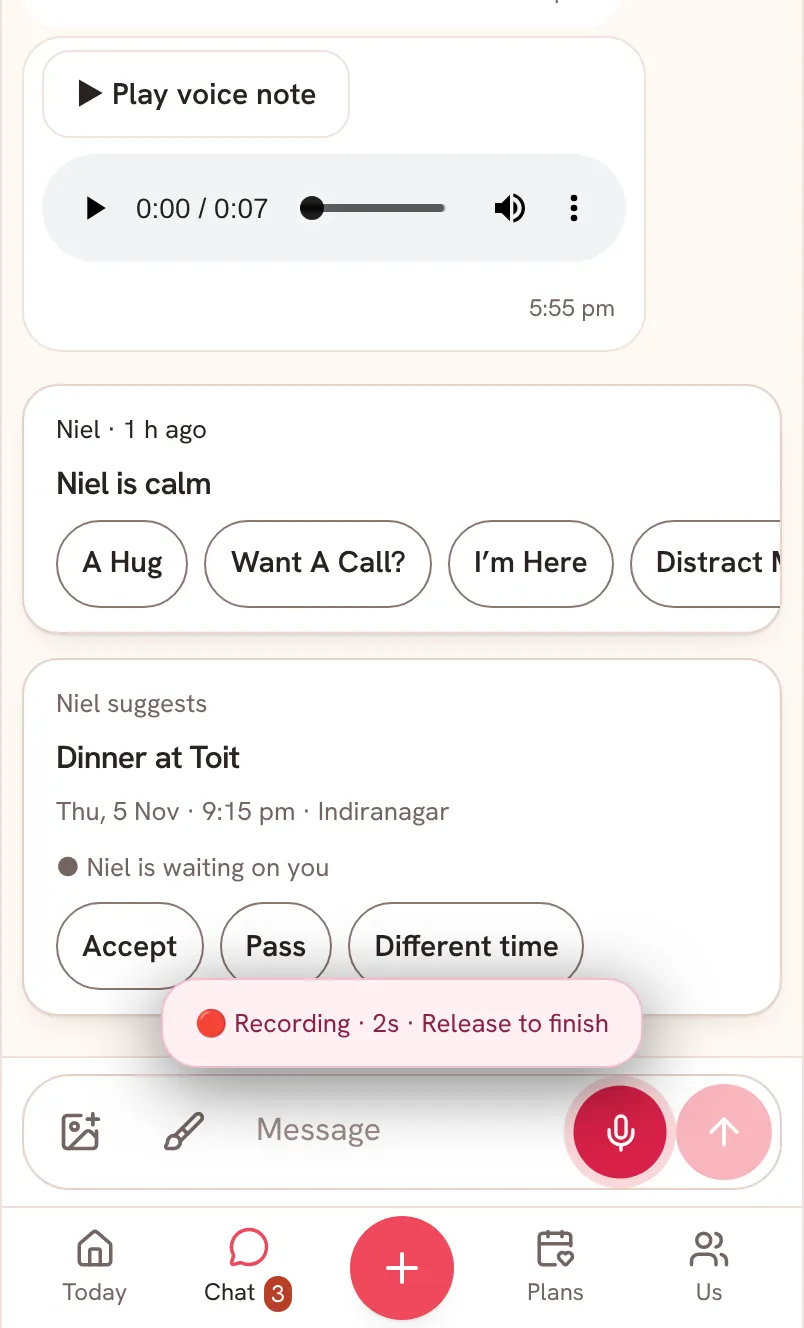
A recording stops by itself at two minutes. If a recording is too large to send, Saath says Please record a shorter voice note.
Saath Couples App
Join the waitlistWhat your partner sees
Your partner sees a voice message in Chat, with Play voice note and a player. They can play it as often as they like. Once it is on their phone, it plays without a signal. If it is not saved there yet, they see This voice note is not saved on this device. Reconnect to download it.
Questions about voice notes
Can I listen before I send?
Yes. The sheet always opens with your recording, and nothing is sent until you tap Send voice message. Discard deletes it.
What if I have no signal?
The mic is unavailable while your phone is offline. A note you have already sent is saved on your phone, and its card says Sends when you’re back online. Up to 10 voice notes can wait. After that Saath says Up to 10 voice notes can wait to send. Send these first, then record more.
The mic says it needs permission. What now?
Saath says Microphone permission is needed. Allow the microphone for Saath in your phone's settings, then hold the mic again.
Can I delete a voice note I sent?
Yes. Press and hold the message, not the player, tap Delete, then confirm Delete for both? with Delete. A bar with Undo holds the delete for a few seconds. See message options.
Can I keep a voice note?
Yes. In the message options, tap More, then Keep as a memory. Saath confirms with Kept in Memories.
Who can hear my voice notes in the Saath couples app?
Only you and your partner. Voice notes are kept in private storage and open only through short-lived links.
How long can a voice note be?
Up to two minutes. The recording stops by itself, and you can still listen to it and send it.
More about Chat is in Chat: messages and quick replies.