Browse guides
Saath Couples App · Us
Start a trip and decide the plan together
A trip in the Saath couples app is one shared page for the two of you. Start it from Us, then Together, name the place, add the dates or choose Someday, and save the ideas you are deciding between.
A trip in the Saath couples app is one page where you both save ideas, plan the days and, later, keep a diary.
Start a trip in six steps
- Open Us and tap Together.
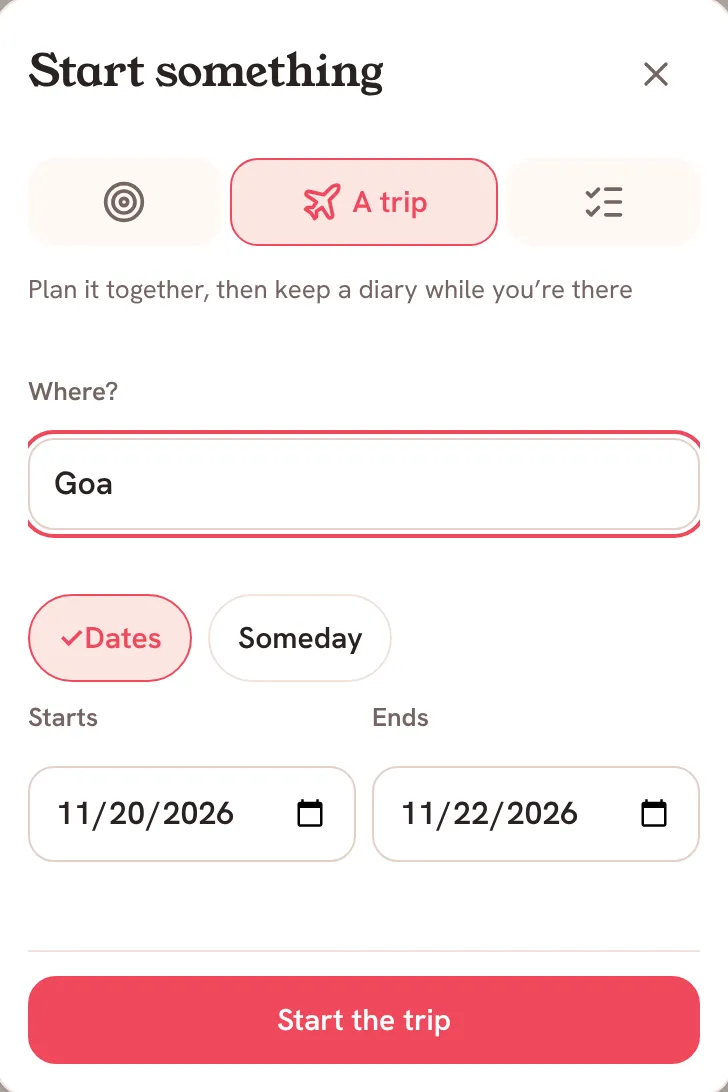
- Tap Start something, then A trip.
- Type the place under Where?.
- Keep Dates and set Starts and Ends. If you do not know when yet, tap Someday instead.
- Tap Start the trip. The trip appears in your list with Ours above its name.
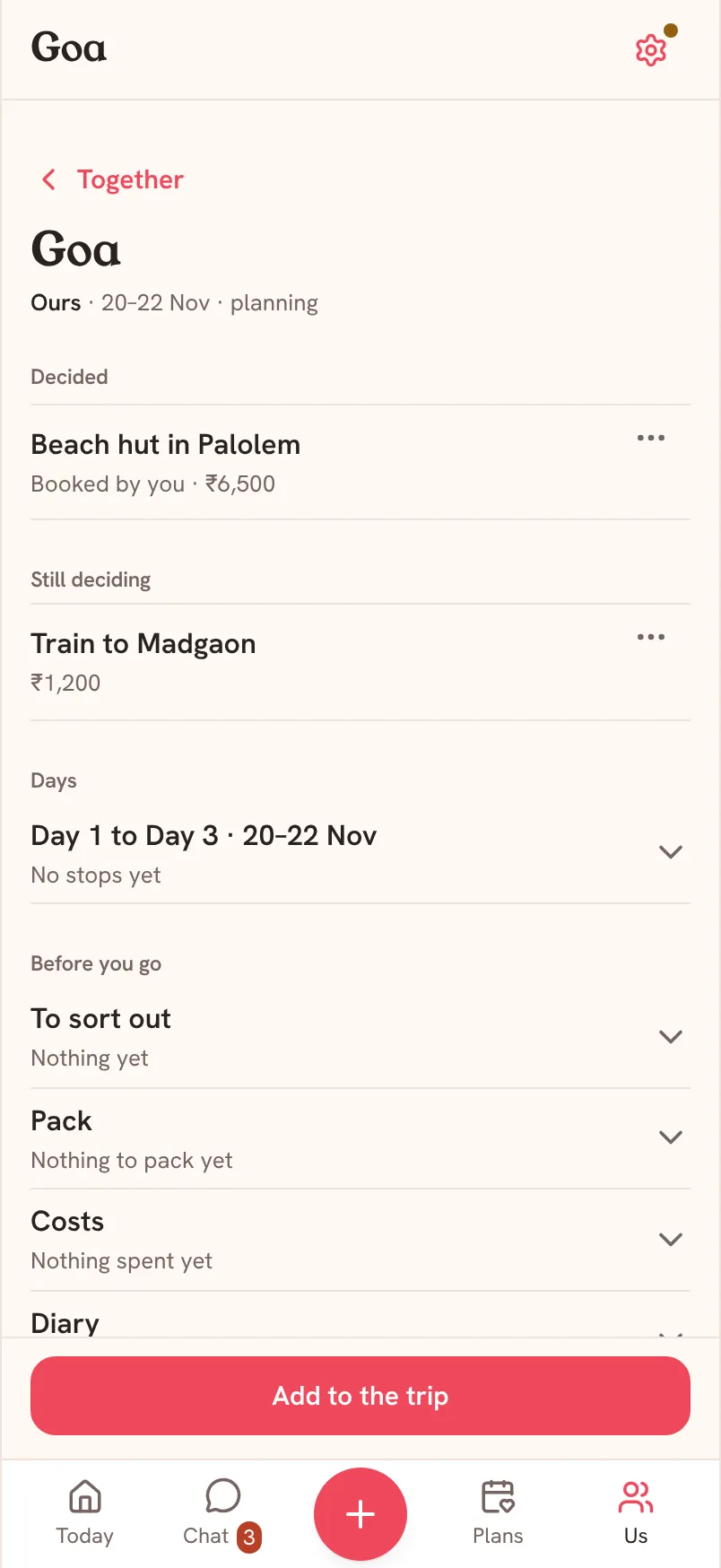
- Tap the trip to open its page.
Saath Couples App
Join the waitlistDecide what to book
Under Still deciding, keep every stay, train or place you are choosing between. Tap Add to the trip, then Something to decide, and fill in Save an option: a Title, a Link, a Category (Flight, Hotel or Reference), Price (optional) with its Currency, and Notes. Tap Save.
Tap the three dots on an idea to Open the link, get Directions, Edit it or Delete it. When it is sorted, tap Mark as booked. It moves to Decided and says who booked it. Saath does not book anything: this is your record. Tap Undo at the bottom if you slipped.
What your partner sees
A trip that starts as Ours shows on both phones, with the same ideas, days and diary. When your partner saves an idea and asks what you think, it waits at the top with Accept and Pass. A passed idea folds away into a line that counts the passed ideas, with Propose again if you change your mind.
Questions about trips
Who can see my trip in the Saath couples app?
You and your partner. A trip you start from Together is Ours, so both of you see it and both of you can add to it.
What is the difference between Dates and Someday?
With dates, the page lists every day by date and shows planning, on now or done under the name. A Someday trip has no dates and no diary yet, and its days are just Day 1, Day 2 and so on. Open Edit trip later to add Starts on and Ends on.
Does Saath book the stay or the train?
No. Mark as booked only moves the idea to Decided. It says Saath doesn’t book anything. You book with the hotel or the train company as usual.
Can I undo Accept, Pass or Mark as booked?
Yes. After each one, a line at the bottom names what you did, with Undo. Later, open the three dots on a booked idea and tap Not booked after all to send it back to Still deciding.
What if I have no signal?
You see the last copy saved on your phone, with an Offline note. Adding, answering and ticking need a connection, so try again once you are back online.