Browse guides
Saath Couples App · Us
Remember this: keep a note from a post
Remember this turns a post in a trip into a note you keep. In the Saath couples app it stays private unless you tick Share with my partner, and you find it under Remembered at the bottom of Together.
Remember this in the Saath couples app saves the part of a post you will want later, such as a train time or a booking number, as its own short note.
Keep a detail from a post
- Open Us, tap Together, and open the trip where the post is.
- Tap More and open Talk about it to see the posts.
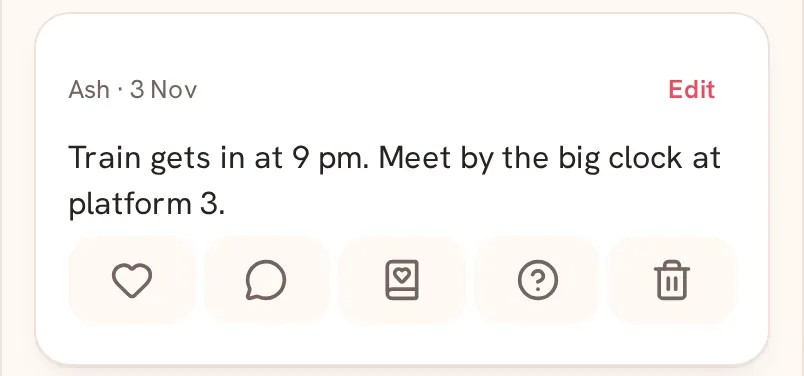
- Under the post, tap the book icon, Remember this.
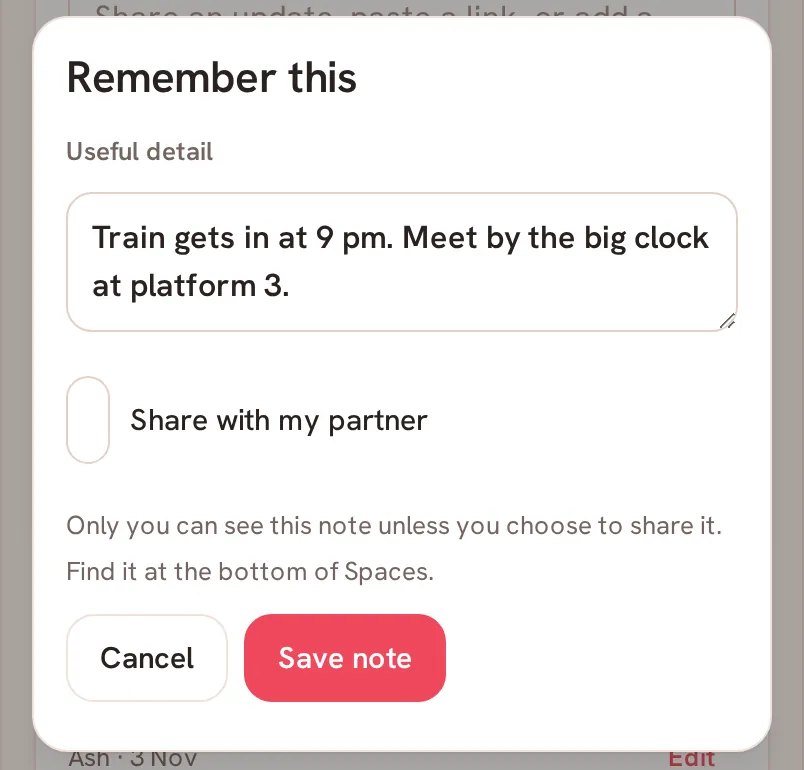
- In Useful detail, keep the text or change it to the part you want. The note can be up to 4,000 characters.
- Tick Share with my partner if you want them to see it. Leave it empty to keep the note private.
- Tap Save note.
Saath Couples App
Join the waitlistFind and change your notes
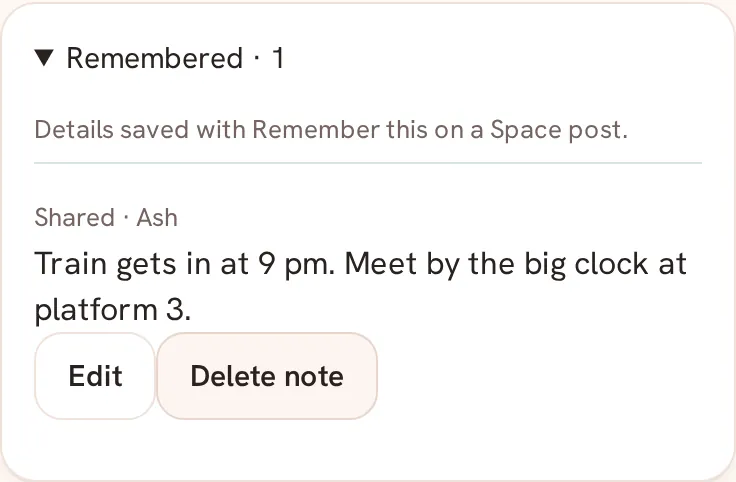
Open Together and scroll to the bottom. Tap Remembered, which shows how many notes you have. Each note says Only me or Shared, with the name of who shared it. Your own notes have Edit and Delete note. Edit opens Remembered detail, where you change the Detail or the Share with my partner box and tap Save.
What your partner sees
Nothing, unless you ticked Share with my partner. Only you can see a note until you choose to share it. A shared note appears in their Remembered list as Shared with your name. They can read it, and only you see Edit and Delete note on it.
Questions about Remember this
Does it change the post?
No. The note is kept separately, and the post stays where it is.
Can I change my mind about sharing?
Yes. Tap Edit on the note, tick or clear Share with my partner, and tap Save. Delete note removes it.
What if I have no signal?
When you edit a note offline, the app says Reconnect to save this note change. Your edit is still here. Your words stay in the box until you are back online.
What if saving fails?
You may see Could not confirm this change. Refresh before retrying. Refresh the page, then try again.
Where do I find my notes in the Saath couples app?
At the bottom of Together, under Remembered. The list says Details saved with Remember this on a Space post.