Browse guides
Saath Couples App · Plans
Share your free time and see when you are both free
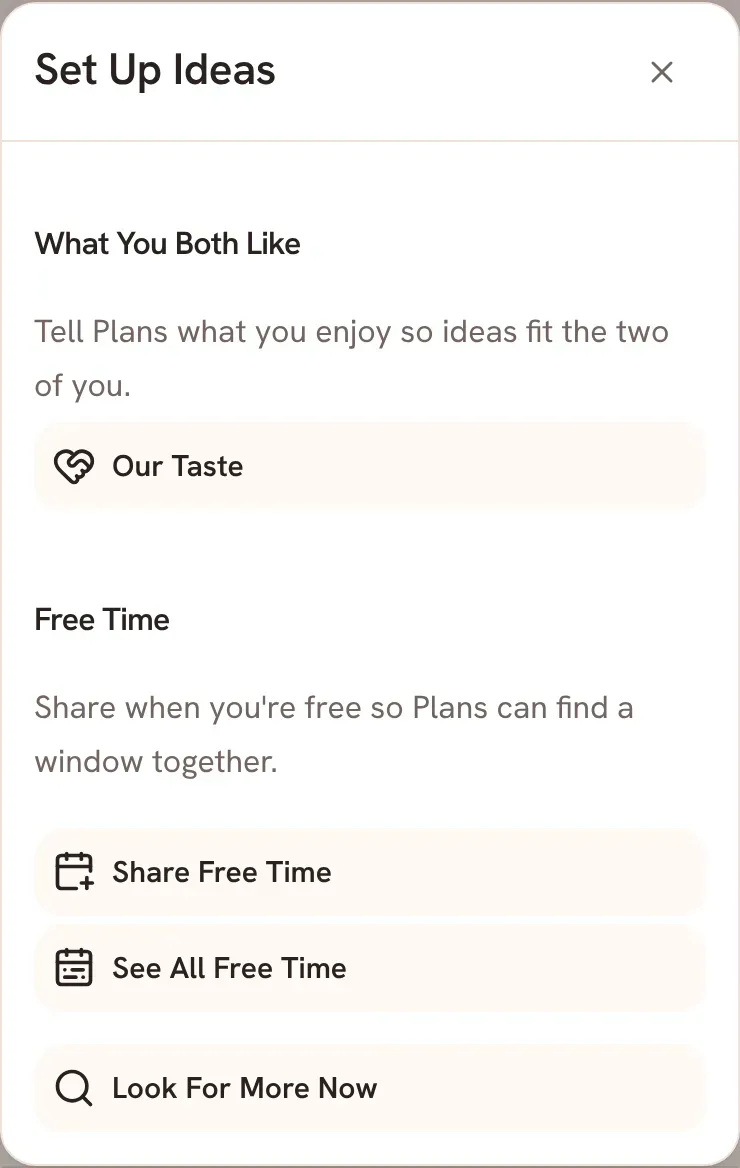
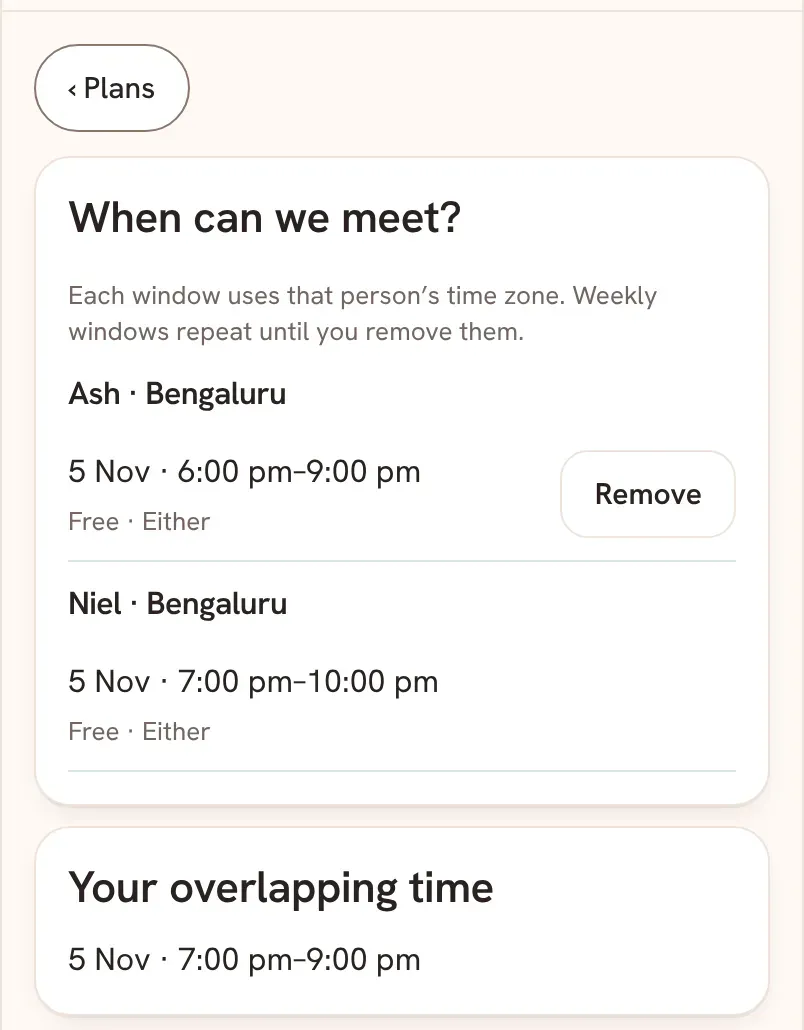
In the Saath couples app you share free time from Plans. Open Set Up Ideas, tap Share Free Time, choose a day and two times, and save. See All Free Time then shows both your windows and the time you overlap over the next two weeks.
Sharing free time in the Saath couples app lets Plans find a window that works for both of you, instead of the two of you comparing calendars.
Share your free time
- Open Plans and tap Set Up Ideas at the bottom of the screen.
- In the Free Time block, tap Share Free Time. The Share availability form opens.
- Choose the Date, then the From and Until times.
- Pick a Status: Free, Maybe or Busy.
- Under Travel, pick Either, Happy to travel, Prefer near me, Meet halfway or Travel together / pickup.
- Switch on Repeat weekly if the window is the same every week. Add a line under Anything else? if you like, such as a quiet evening or a short meetup.
- Tap Save.
- To check the result, tap Set Up Ideas again and tap See All Free Time. The page When can we meet? lists each person's windows with their city, and then Your overlapping time.
Saath Couples App
Join the waitlistWhat your partner sees
Your partner sees your windows on their own See All Free Time page, under your name and city, and the same Your overlapping time. You can remove only your own windows.
Questions about free time
I cannot see Set Up Ideas. Where is it?
The Set Up Ideas row appears once your taste is saved or ideas are on. On Plans, tap Save Our Taste or Switch Ideas On, and the row shows at the bottom.
What do Free, Maybe and Busy do?
A Busy window is taken out of your overlapping time. A Free window counts toward it. A Maybe window can still count, but it is a less sure one.
How far ahead does it look?
Over the next two weeks. Saath says: Share your free time to find a window together over the next two weeks.
Whose time zone is used?
Each window uses that person's time zone. This matters if you are in different cities, and the page says so above the list.
How do I remove a window?
Open See All Free Time and tap Remove beside your own window. A weekly window repeats until you remove it.
What if Save does not work?
Saath tells you what is missing. It says Choose a date and both times to save your free time., Choose today or a future date. or Choose an end time after the start time.
Do we both need to share free time in the Saath couples app?
To see an overlap, yes. Each of you shares your own windows. Until your partner shares one, their name shows No times shared yet.