Browse guides
Saath Couples App · Today
See what the two of you shared this week
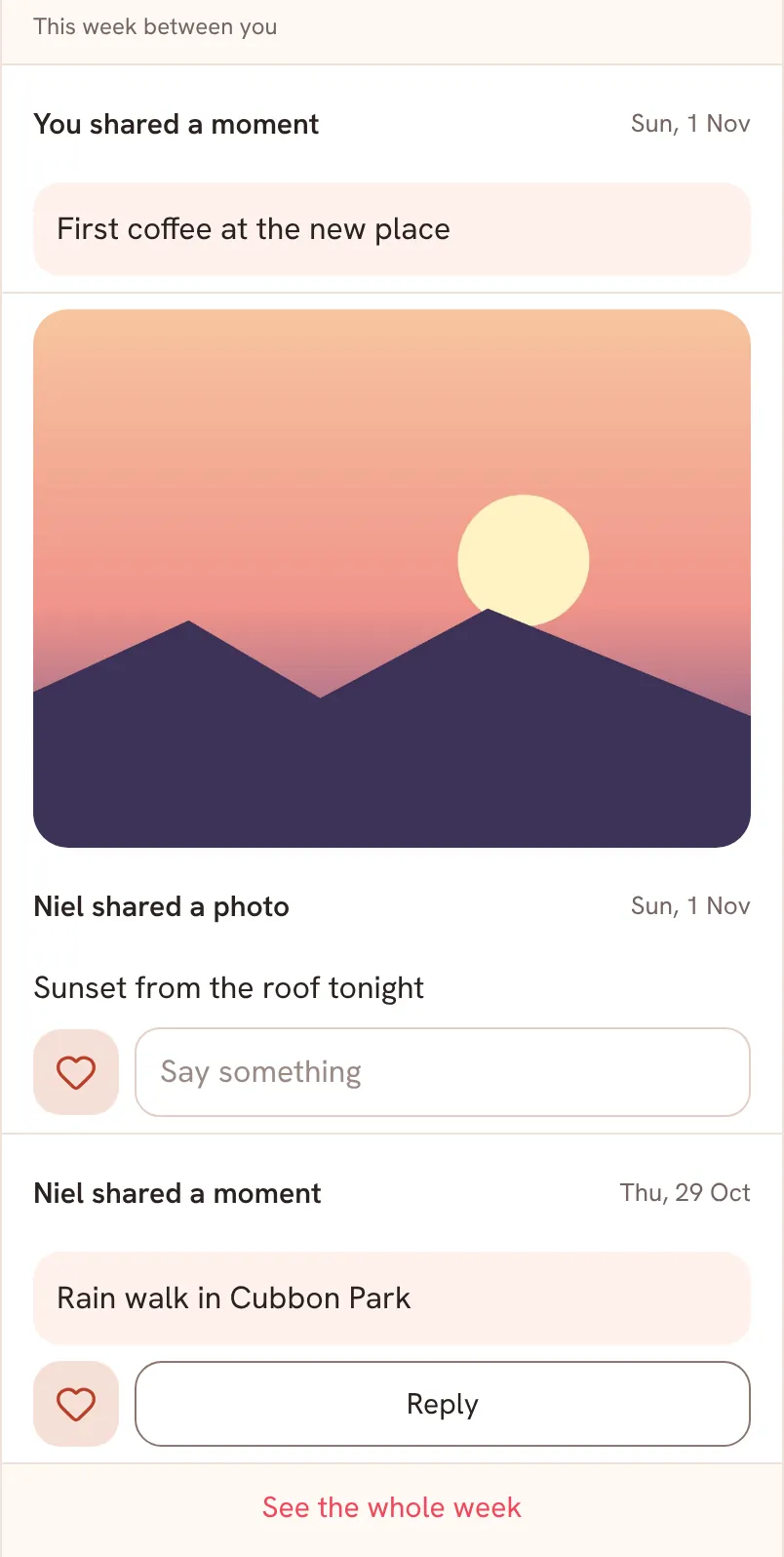
This week between you is a short list on Today in the Saath couples app. It shows up to five of the latest things the two of you shared in the last seven days, newest first. Tap a card to open it, send a heart, or reply right there.
This week between you on Today in the Saath couples app shows the latest things the two of you shared, so you can catch up without hunting through tabs.
Catch up on your week
- Open Today and scroll down to This week between you.
- Read the cards from the newest down. The bold line says who did what, such as a photo, a moment, a comment, a voice note, a booked plan or a goal check-in. The day is on the right.
- Tap the bold line of a card to open the whole moment, plan or goal. A voice note plays on the card itself.
- To send a heart, tap the heart under a photo or moment from your partner. Tap it again to take it back.
- To answer a photo, type in Say something and tap Send reply. On a moment or a comment, tap Reply: Chat opens with a quote of it in your message box, ready for your words.
- Tap See the whole week to open Our moments with everything, and tap Back to return.
A booked plan shows when and where, with a Directions ↗ link, and says when you are both in. A goal check-in shows the goal's progress bar when the goal has a target.
Saath Couples App
Join the waitlistWhat your partner sees
Your partner sees the same list on their own Today, with the cards you shared. A heart you send appears under your own card on their phone as a line that says you loved it. A reply you type under a photo reaches them as a comment on that photo.
Questions about This week between you
Why are there only a few cards?
The list shows the five newest things from the last seven days. See the whole week opens Our moments for the rest.
Why is the list not there?
It appears only when something was shared in the last seven days. When your partner has shared something you have not seen yet, Today shows that first, and this list returns once you have seen it.
What does it show from my partner that they did not choose to share?
Nothing. It is built only from things you can both already see, such as moments, plans and goals, and it does not read anything else.
Can I take back a heart?
Yes. Tap the filled heart again. If a heart does not save, Saath says Heart was not saved. Try again.
What if I have no signal?
The heart and the reply box wait: the box says Reconnect to reply. The cards already loaded stay on screen.
Is this list free in the Saath couples app?
Yes, it is part of Today. On the Free plan the app shows your last 30 days, and this list only looks back seven days.
To start sharing, see Share a mood or Send and keep photos. Everything older lives in Us.